Features · 20 Apps · 1 Project File
The complete script-to-screen toolkit.
Twenty integrated apps sharing one project file. From first draft to final animatic, every tool a producer or director needs - all synchronized, all powered by Dolly.
A screenplay editor that writes the breakdown for you.
Industry-standard formatting, a live scene navigator and DollyAI™ beside every line - the script you write becomes the data every other app runs on.
Open the script writer →
Storyboards your director will sign - built from the shot list.
Every shot becomes a panel with shot-type and camera-movement annotations, version history and one-click PDF - no re-typing what the script already knows.
See the storyboard editor →
Sequence your frames into a moving cut you can feel.
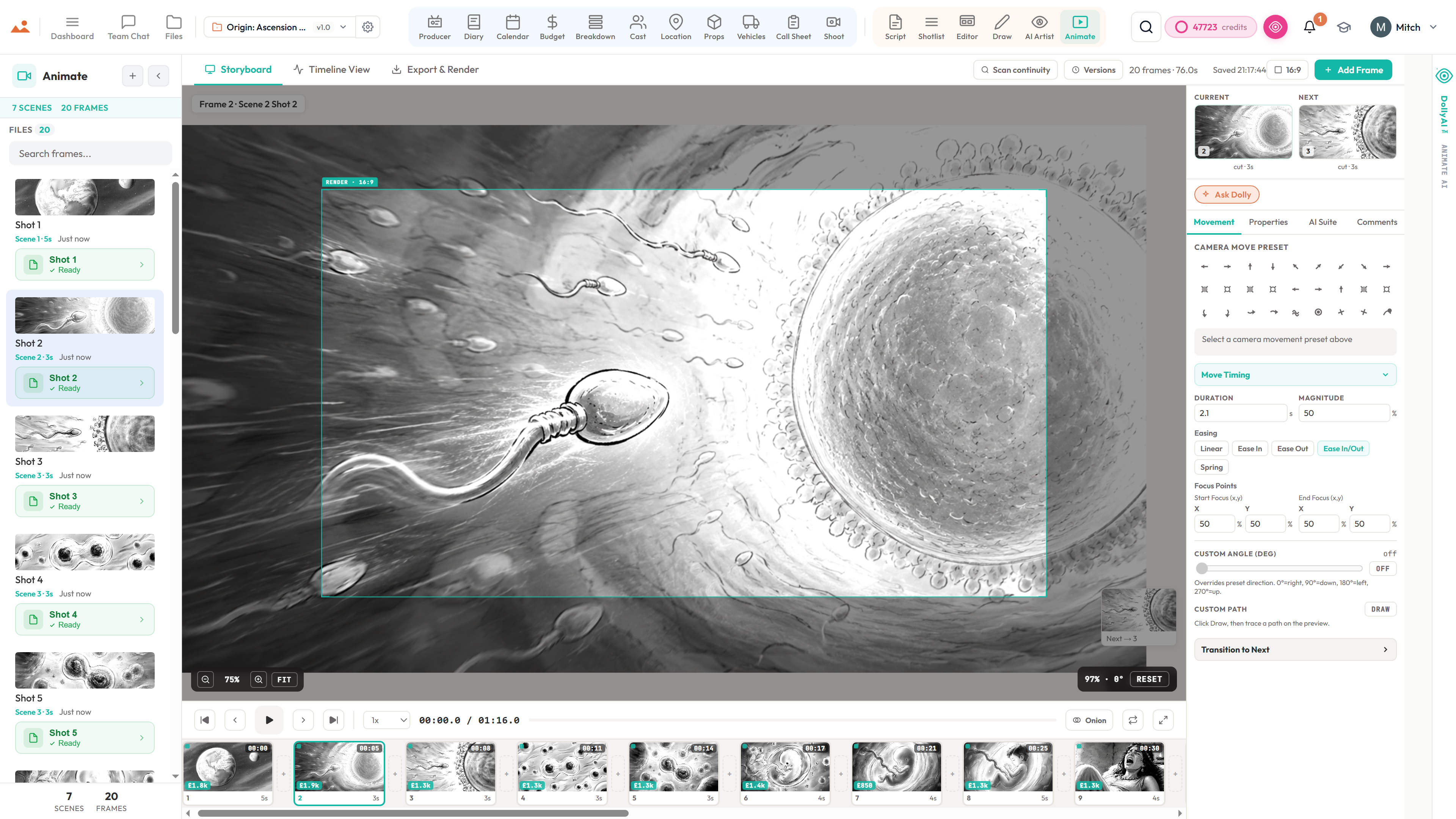
Drop your boards onto a timeline with camera moves, transitions, audio and timing - then export to your editing suite or hand it straight to the team.
Explore the animatic →
Script → Breakdown → Schedule
Six production apps that share one database. The script changes, the breakdown updates, the schedule rebalances, the call sheet re-renders - automatically.
- Write app with revision mode and industry-colored pages
- Breakdown with AI-tagged props, wardrobe, VFX, stunts
- Real stripboard with DOOD and day-order optimizer
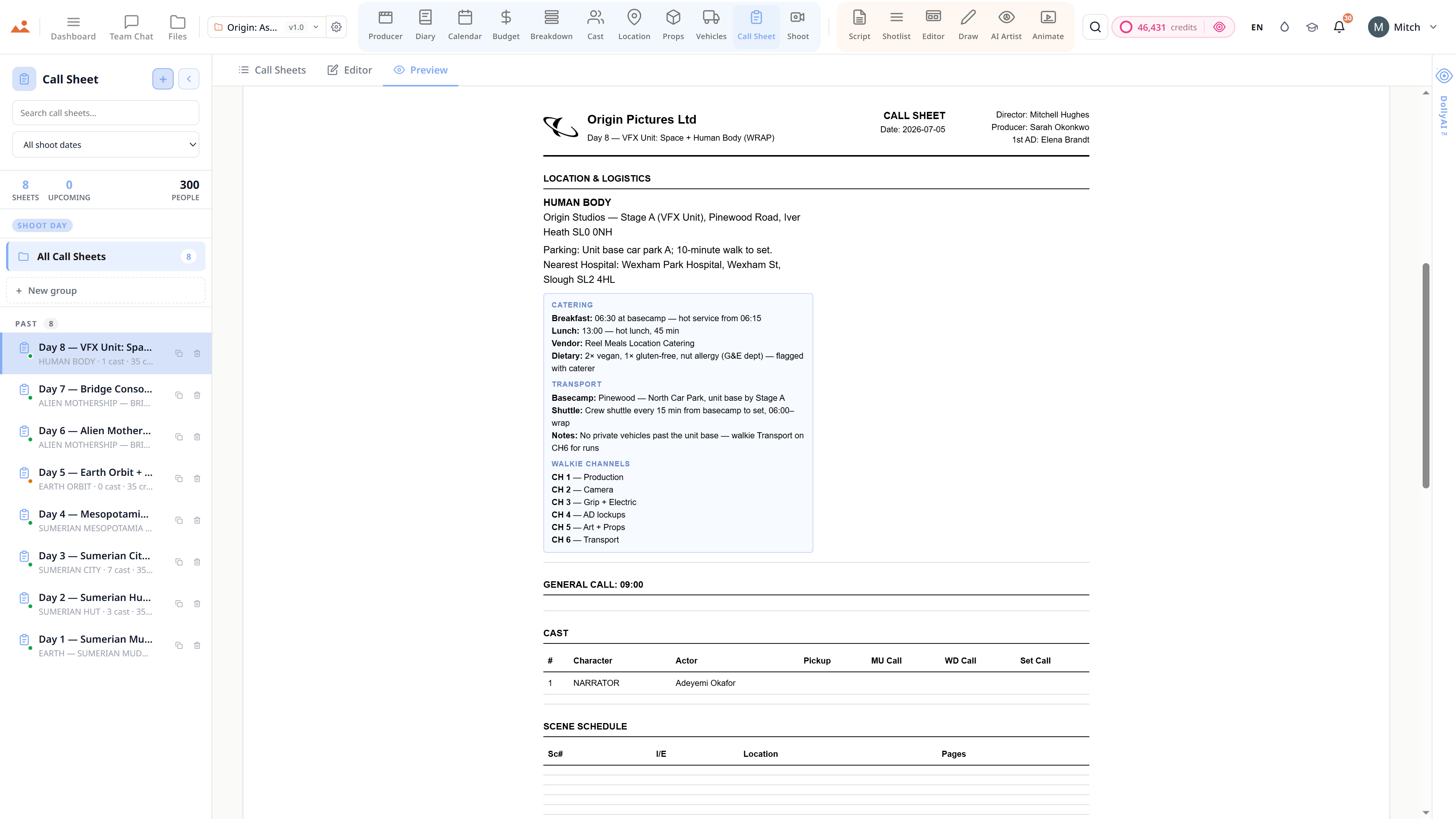
- Auto-generated call sheets with SMS/email delivery
- Cast, Locations, Props, and Vehicles - one source of truth
The Director's Canvas
Six creative apps from screenplay to shotlist to storyboard to animatic. Draw by hand, generate with AI Artist, or mix both - all on the same canvas.
- Full screenplay editor with typed blocks
- Shotlist with angle, lens, and movement metadata
- Editor canvas with drag-snap, layers, and presenter mode
- Draw app: GPU-accelerated painting at 60fps
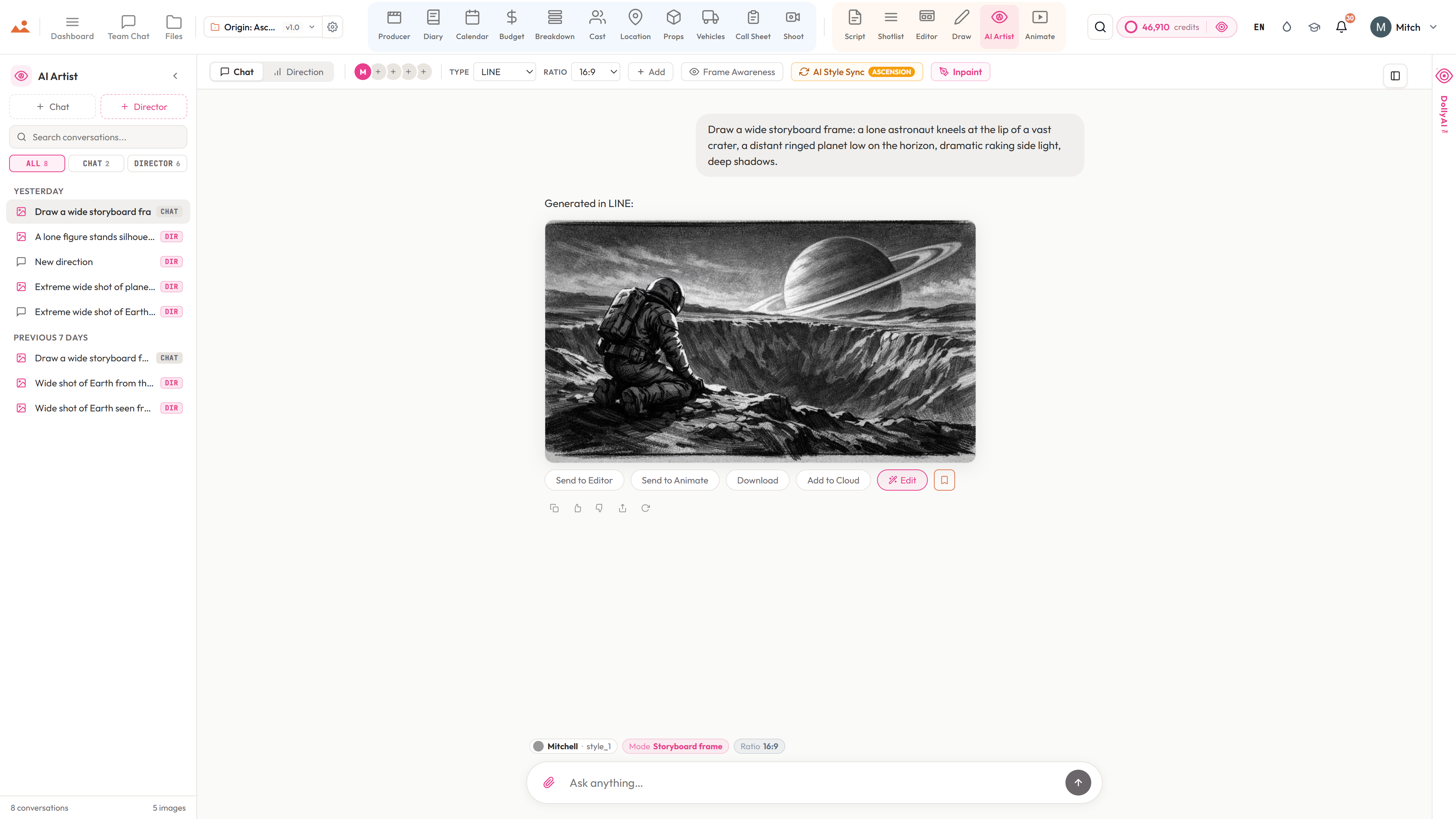
- AI Artist: signature style profiles with character lock
- Animate: one-click animatic from approved frames
DollyAI™, in every app
A filmmaker's assistant that reads your script, respects your style, and suggests the right move at the right moment. One Dolly, every app, zero drift.
- Reads every document in your project
- Suggests coverage, schedules, and continuity fixes
- Holds your art style across every AI frame
- Explains every suggestion with an audit trail
- One click to accept, one click to ignore
One synchronized suite
Everything shares one project file. Change a scene heading and the breakdown, schedule, call sheet, and storyboard all know. No more re-entering the same information in five tools.
- One project = script + boards + schedule + callsheets
- Change propagation across every app
- Versioned Files app with never-lose-saves
- Role-aware dashboards for producers and directors
- Team chat with frame-anchored comments
Shoot-day ready
Call sheets that deliver themselves. Schedules that optimize themselves. Exports that match industry-standard formats. Built for real productions, not hobby projects.
- Auto-distributed call sheets via email and SMS
- Stripboard + DOOD + company-move awareness
- Import and export Movie Magic, Gorilla, Final Draft, and CSV
- 300 DPI storyboard PDFs and MP4 animatics
- Revision mode with industry-colored pages
Per-seat permissions
Organisation owners pick exactly which of the twenty apps each invited seat can see. Eleven role presets, thirty-six app gates. Invite a storyboard artist and they see Editor + Draw + AI Artist + Shotlist - never the budget.
- 11 role presets: owner, producer, director, writer, storyboard artist, animator, production designer, production coordinator, editor, viewer, admin
- 36-app override matrix per seat
- Real-time cross-tab sync inside 250ms - drag a strip on one device, every other tab updates
- Audit log captures every share-link mint, revoke, and access change
- Wrap to Editorial: one-click ZIP package with Premiere XMEML, DaVinci EDL, OpenTimelineIO
Additional capabilities
Real Screenplay Editor
Typed blocks, scene numbering, dual dialogue, revision mode with locked numbers and colored pages. Reads and writes FDX, Fountain, Celtx, PDF, and RTF.
Production Breakdown
Dolly auto-tags props, wardrobe, VFX, stunts, SFX, animals, and vehicles. Category library, per-scene reports, and sync to the schedule.
Real Stripboard Scheduling
Color-coded strips, DOOD reports, company moves, meal-break awareness, and a Dolly day-order optimizer. Imports and exports Movie Magic, Gorilla, CSV, and FDX - your stripboard travels with you.
Auto Call Sheets
Pulls from Schedule, Cast, Locations, and Vehicles. Pickup times, weather, nearest hospital, one-click email and SMS delivery.
Character Continuity Engine
Identity embeddings keep every character's face, wardrobe, and pose consistent across every AI-generated frame.
Cinematic Shot Intelligence
Focal length, shot size, lens presets, camera movement, and lighting logic - the grammar of cinema, structured and reusable.
Real-Time Collaboration
Channels, threaded comments, frame-anchored notes, @mentions, per-frame approvals, and presence indicators.
GPU-Accelerated Draw Suite
GPU-accelerated rendering, off-thread compositing, full stylus pressure and tilt, our brush engine, 15+ blend modes.
Art Style Lock
Pick your style once and Dolly holds it. In-house signature style profiles + your custom reference bibles - never LLM-slop.
Production-Ready Exports
300 DPI PDF sheets, hi-res PNG frames, CSV shot lists, MP4/MOV animatics, FDX / Fountain screenplays, and Movie Magic / Gorilla stripboards - every export in an industry-standard format.
Never-Lose-Saves
Autosave history, named versions, editable drafts, and full restore points on every file. Roll back any asset to any point.
Dolly, in every app
One assistant across all 20 apps with selection awareness, image awareness, and a 16-table parallel project-context fetch. She knows which scene, shot, character or prop you've clicked - and she's seen every storyboard frame, character photo, and location scout in the file.
Eight AI Artist Modes
All eight modes live today - style-locked storyboard frames, theatrical one-sheets, streaming key art, concept paintings, mood boards, EPK stills, lower-thirds, and title cards. Every mode prompt-engineered to its industry deliverable, every output bound to your project's locked style bible.
Voice-to-Script + Translation
AI-powered voice-to-script transcription. Multi-language screenplay translation. 100+ AI writing actions - coverage, continuity, dialogue polish, beat sheets, scene rewrites, character bibles.
Character TTS Read-Through
Auto-cast voices by character age and gender from the breakdown. Listen to any block, any scene, in the right voice - premium AI voices or browser TTS for free.
Editorial Handoff Bridge
Animatic → Premiere XMEML, DaVinci EDL, OpenTimelineIO. Plus calendar .ics subscriptions, ZIP wrap-package archives, casting contact-sheet PDFs, and mobile call-sheet share links - no install needed.
Crew + Cast SMS Reminders
SMS-operator-powered shoot-day reminders with @-mentions, deal-memo notifications, DOOD shift alerts, and review-comment pings. Mobile call sheets open on any phone - no app.
Cmd+K Command Palette
Search projects, characters, scenes, shots, locations, props, and files instantly from anywhere. The fastest path through the whole suite in a single keystroke.