AI storyboard generator in your exact locked style.
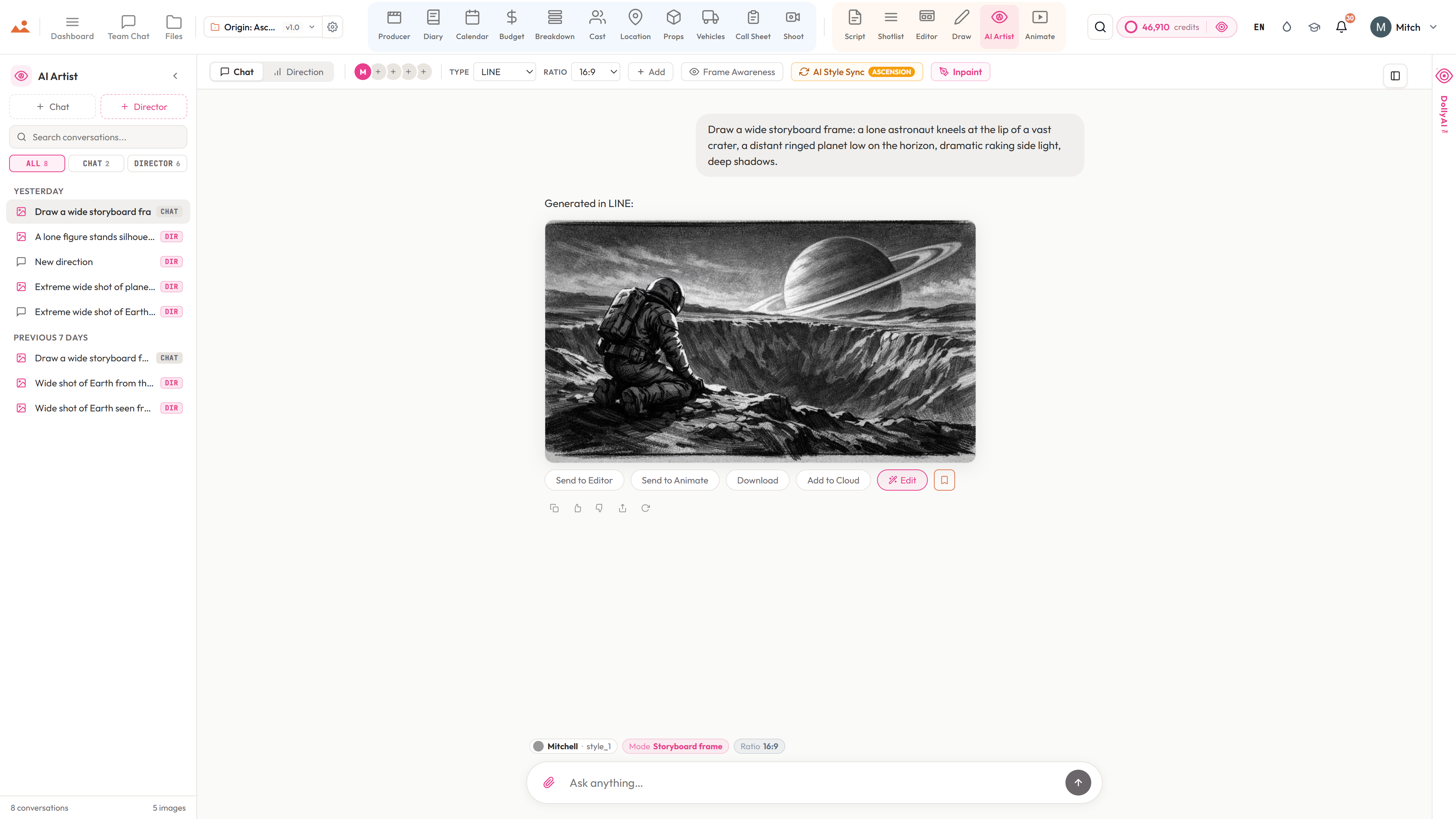
Open the Frame Builder and your production is already in it - the cast in the scene, their wardrobe and hair and make-up, the location, the props, the time of day - pulled straight from the apps you've filled in. Built by storyboard artists, so there's no blank prompt box. Choose the look once, generate in any of eight modes, and send it straight to the storyboard.
See the AI Artist →


What's inside AI Artist
AI storyboard generator, style-locked.
- 3D camera picker - orbit the subject on a plan ring, set the height from worm's-eye to bird's-eye, and aim the shot in 3D before a single frame is drawn
- The 180-degree rule as an explicit control - the safe hemisphere is drawn for you, and crossing the line is a deliberate choice the app flags in red, not an accident
- Camera coverage helper - name your two subjects, fix who is screen-left, and the eyeline and screen direction stay consistent across a whole sequence
- Every camera choice resolves into a real cinematographer directive that goes into the prompt, not a vague style word
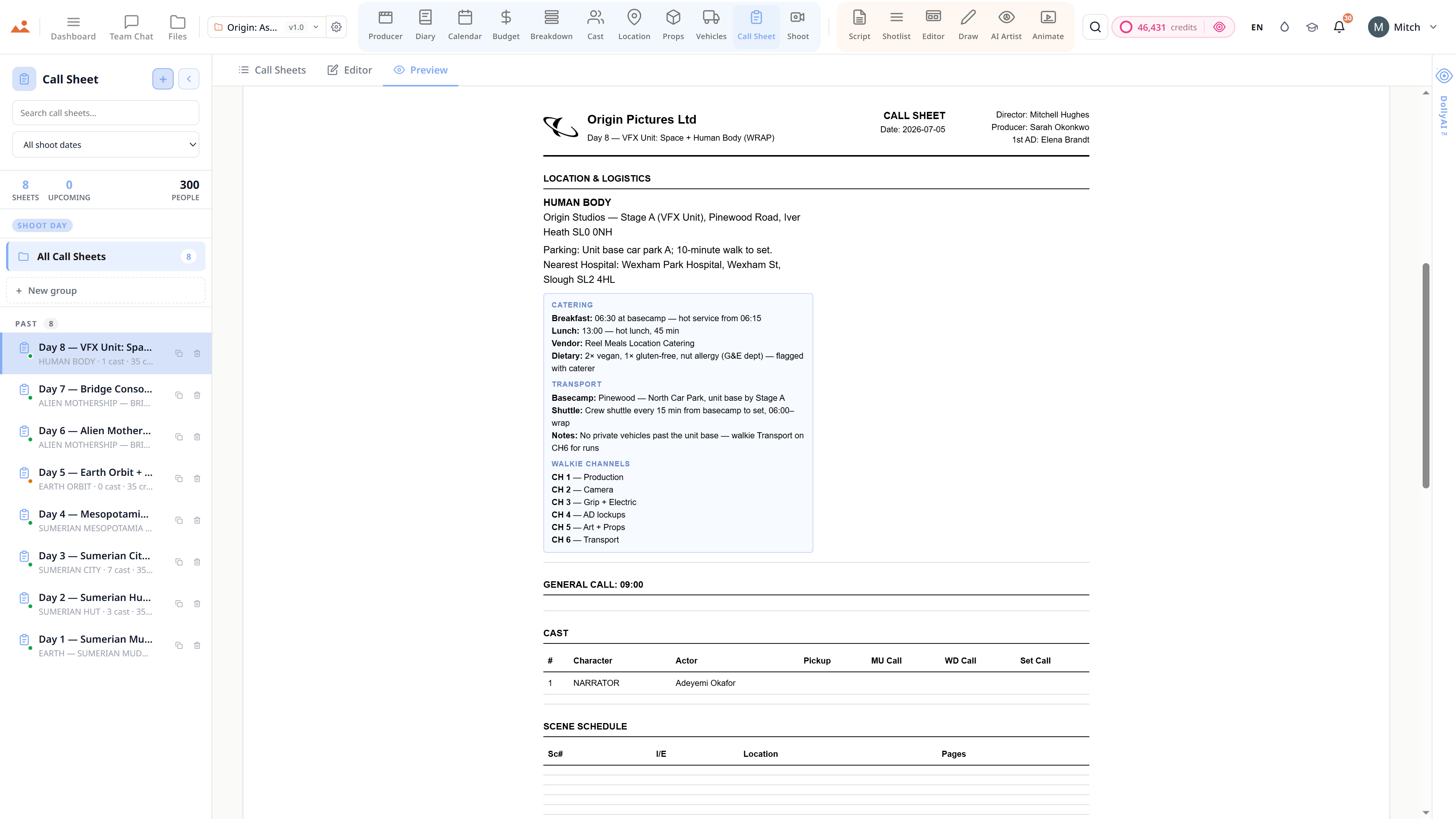
- Frame Builder pulls every choice from your production - scene, shot, cast, wardrobe, hair and make-up, location, props, vehicles, time of day and weather
- Built by storyboard artists - it speaks shot language (lens, angle, framing, movement), not just prompts
- No throwaway character bible to hand-build - your Cast app and breakdown already feed it
- Choose the look once - built-in Mitchell (LINE, TONE, COLOUR) or your own uploaded reference - and it holds every frame
- Eight generation modes - storyboard frame, theatrical poster, streaming key art, concept painting, mood board, EPK still, lower-third, title card
- Up to 4 custom artists from your own references, scoped per project so two shows never bleed
- Same character, every frame - face, wardrobe, hair and make-up carried from the Cast app
- Surgical inpainting from the Draw suite - mask a region, describe the fix, the rest stays untouched
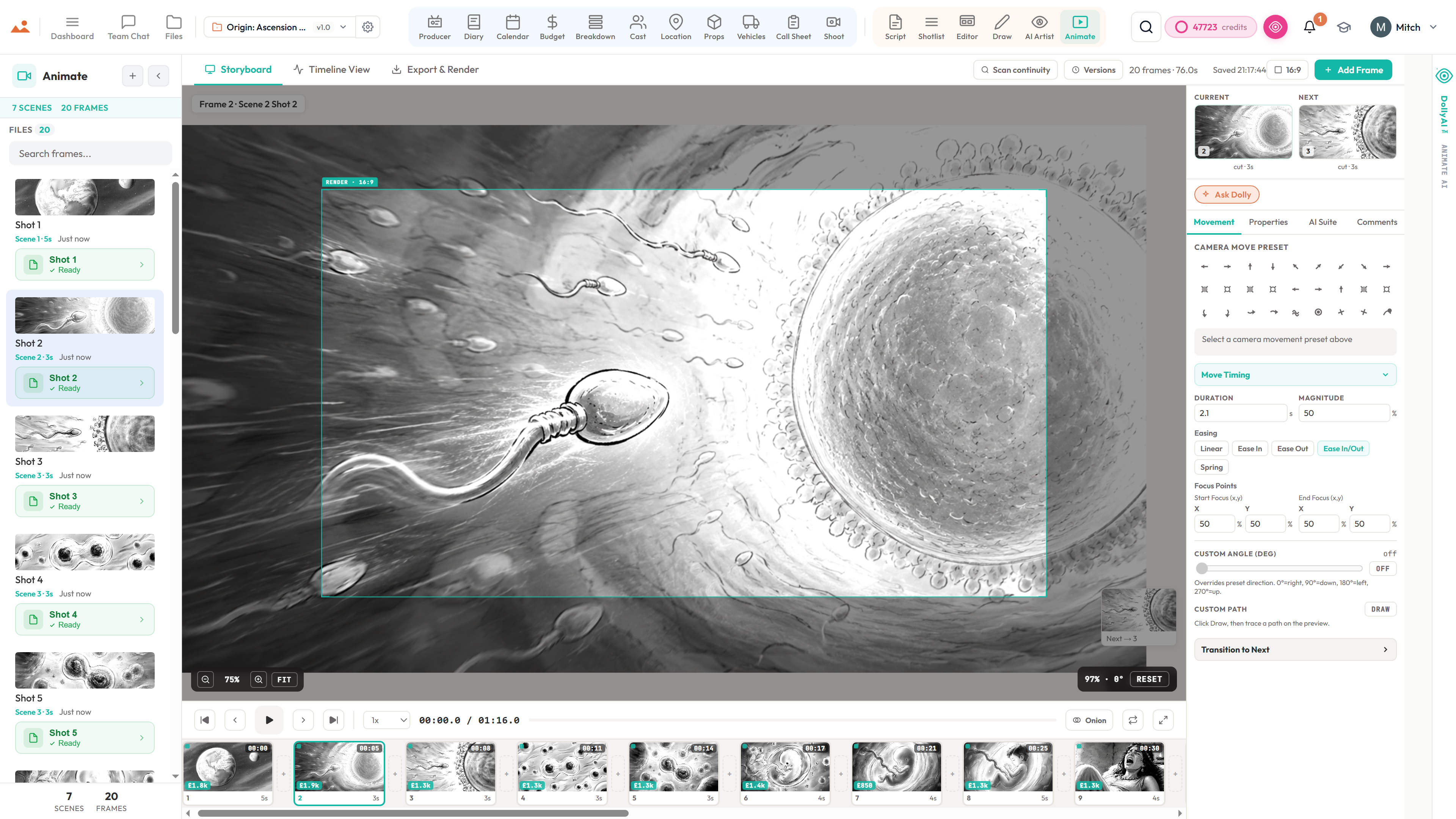
- One-click Send to Editor or Animate - the frame lands with its scene linkage intact
- A/B compare, saved Collections, batch generation, and stale-frame flags when a scene changes
The pipeline
Where AI Artist sits in the production flow.
The on-model image factory, fed by everything upstream. The Frame Builder reads the shot list (lens, angle, framing, movement), the breakdown (cast, props, vehicles, location), the Cast app (wardrobe, hair and make-up) and the scene (time of day, weather) - so the prompt is already written before you touch it. Choose the look once, generate against a real scene, and send to the editor or the animatic with one click.
Inside the app
Every shipped feature, fully wired.
Each block below maps a real shipped capability to the workflow it powers. No vapourware, no coming-soon.

DollyAI™ in this app
AI commands wired into AI Artist.
A few of the 200+ DollyAI commands across the suite, here in AI Artist. Every one shows its credit cost before you commit, and every response is anchored in your real project - not a generic prompt.
Generate frame
25 crAn on-model frame against the active scene - cast, location, props and look already pulled in. Mitchell or any custom artist, any of the 8 modes.
Inpaint
5 crSurgical edit of a masked region - the rest of the frame stays untouched.
Lock a custom artist
12 crReads your reference images and locks the look. Hash-cached - unchanged re-syncs are free.
Recalibrate
4 crRe-anchors a custom artist if its look starts to drift. Per-style, per-project.
Character continuity check
3 crCross-frame check that the same character reads as the same character across the deck.
Mood-aware prompt fragment
1 crSets the tone - gritty, dreamy, comedic - while keeping the chosen look intact.
Custom-artist preview
2 crQuick low-res preview of a custom artist's look before you commit the full lock.
Talks to every app
AI Artist reads + writes to the same project file.
No re-entry, no copy-paste, no out-of-sync versions. Every connection below is a live data path in the running product.
Shotlist
Per-shot Send to AI Artist with one click - frame generated against the shot's lens, angle, lighting, mood.
Editor
Every generation has a Send to Editor chip - the frame lands in the storyboard deck with scene linkage preserved.
Animate
Every generation has a Send to Animate chip - the frame lands on the animatic timeline with full scene context.
Draw
Inpaint masks painted in Draw flow into the AI Artist's inpainting pipeline. Style lock preserved.
Locations
Location concept renders - interior, exterior, day, night, weather - pre-visualise before you scout.
Props
Prop concept renders - style-locked design before the art department spends a dollar.
Files
Every generation versioned in /files with the full prompt + style + bible state at generation time.
Frequently asked
Common questions about AI Artist.
Do I have to build a character bible before I can use it?
No - that's the whole point. Every other AI storyboard tool makes you hand-build a bible from scratch. Ours is fed by the work you've already done: the cast, the breakdown, the locations. Open the Frame Builder, pick a scene, and the cast, wardrobe, hair and make-up, location, props and vehicles are already there.
Where do a frame's details come from?
From your production. The Frame Builder reads the shot list (lens, angle, framing, movement), the breakdown (cast, props, vehicles, location), the Cast app (wardrobe, hair and make-up) and the scene (time of day, weather). You choose from dropdowns; the prompt builds itself - no blank box.
What makes it different from Midjourney, Runway or LTX?
It was built by storyboard artists, and it's fed by your whole production. Those tools are general image models behind a prompt box - you bring every detail and rebuild a character bible each time. Here the cast, locations, props and shot data you already entered feed every frame, and the look you choose holds across the whole deck.
Will the same character look the same in every frame?
Yes. The continuity engine anchors face, wardrobe, hair and make-up to the Cast row and character profile - not to a prompt you repeat. The same Sarah in scene 1 reads as the same Sarah in scene 200, in every mode.
Can I create my own artists?
Yes - up to 4 custom artists per account. Each has 3 named style slots (your labels) and takes your own reference images. The AI reads them and locks the look; unchanged re-syncs are free. Or just use the built-in Mitchell (LINE / TONE / COLOUR).
Can I edit a generated frame without regenerating from scratch?
Yes. Surgical inpaint is live from the Draw suite - paint a mask with any brush, describe what should fill it, and only that region changes while the rest of the frame stays byte-identical. Your chosen look carries across.
Which deliverables can it make besides storyboard frames?
Eight modes: storyboard frame, theatrical poster, streaming key art, concept painting, mood board, EPK still, lower-third and title card - each with its own composition, aspect ratio and finish, and all fed by the same production context so they share one world.
The Promise
AI Artist is on every tier.
No locked features, no Pro-only exports, no surprise paywalls. Every AI Artist tool on this page ships on every plan - Hobbyist to Enterprise.