Equipment and crew management software for shoot day.
Crew roster and equipment manifest, a kit planner, a safety and risk board and AI day-tools - everything the unit needs on the day, fed by the breakdown and the schedule.
See the Shoot hub →


What's inside Shoot
Equipment and crew, on shoot day.
- Risk assessment register - hazards scored on a likelihood-by-severity matrix, each with a category, an owner and a status, printable, with an AI safety briefing
- Kit and crew planner - the gear each scene needs read straight from the shot list and cross-checked against what you already own
- Gear intelligence: daily rate burn, replacement value for the insurance schedule, utilisation, and what is checked out right now
- Crew payroll normalised per shoot day, with a count of who has an emergency contact on file and who does not
- Suggested kit per department, drawn from the crew you actually hired
- Gear inventory - 13 categories (camera, grip, electric, sound, art, etc.)
- Crew roster - 16 departments with call times, rates, and contacts
- Live intelligence bands - rate burn, replacement value, utilisation, confirmed %, daily payroll, emergency-ready %
- Production overview strip - combined daily run cost across gear + crew
- Embedded Call Sheet, Budget, and Breakdown modules
- Rental vendors, case numbers, condition logs + share-token revocation
- CSV bulk import for gear and crew + AI kit suggestions per department
The pipeline
Where Shoot sits in the production flow.
The on-set operational brain. Shoot tracks the 16-department crew roster + the 13-category gear inventory + every checkout/checkin chain on set. Daily call sheet, daily diary, and daily wrap report all read from it. Department gap-checks flag the moment a scene's requirements aren't covered.
Feeds downstream into

DollyAI™ in this app
AI commands wired into Shoot.
A few of the 200+ DollyAI commands across the suite, here in Shoot. Every one shows its credit cost before you commit, and every response is anchored in your real project - not a generic prompt.
Safety brief
3 crReads the day's scenes and surfaces the actual hazards - stunts, weapons, vehicles, animals, water - with the OSHA / CFR risk class and the mitigation steps.
Crew gap check
2 crCompares today's call sheet against the script's department requirements and flags the missing crew ('this scene needs a key grip + a gaffer; only the gaffer is on call').
Kit gap check
2 crSame for equipment - flags missing gear before the day starts, not at lunch.
Day-plan optimiser
4 crRe-shuffles the day for weather, location, and cast availability - surfaces the better order with a one-line explanation per move.
Predictive overrun
3 crReads yesterday's actuals + today's call sheet + outputs a Solid / Watch / High-risk pill with specific overrun minutes.
Talks to every app
Shoot reads + writes to the same project file.
No re-entry, no copy-paste, no out-of-sync versions. Every connection below is a live data path in the running product.
Breakdown
Per-scene department requirements feed the gap-check AI actions - flags missing departments before the day.
Call Sheet
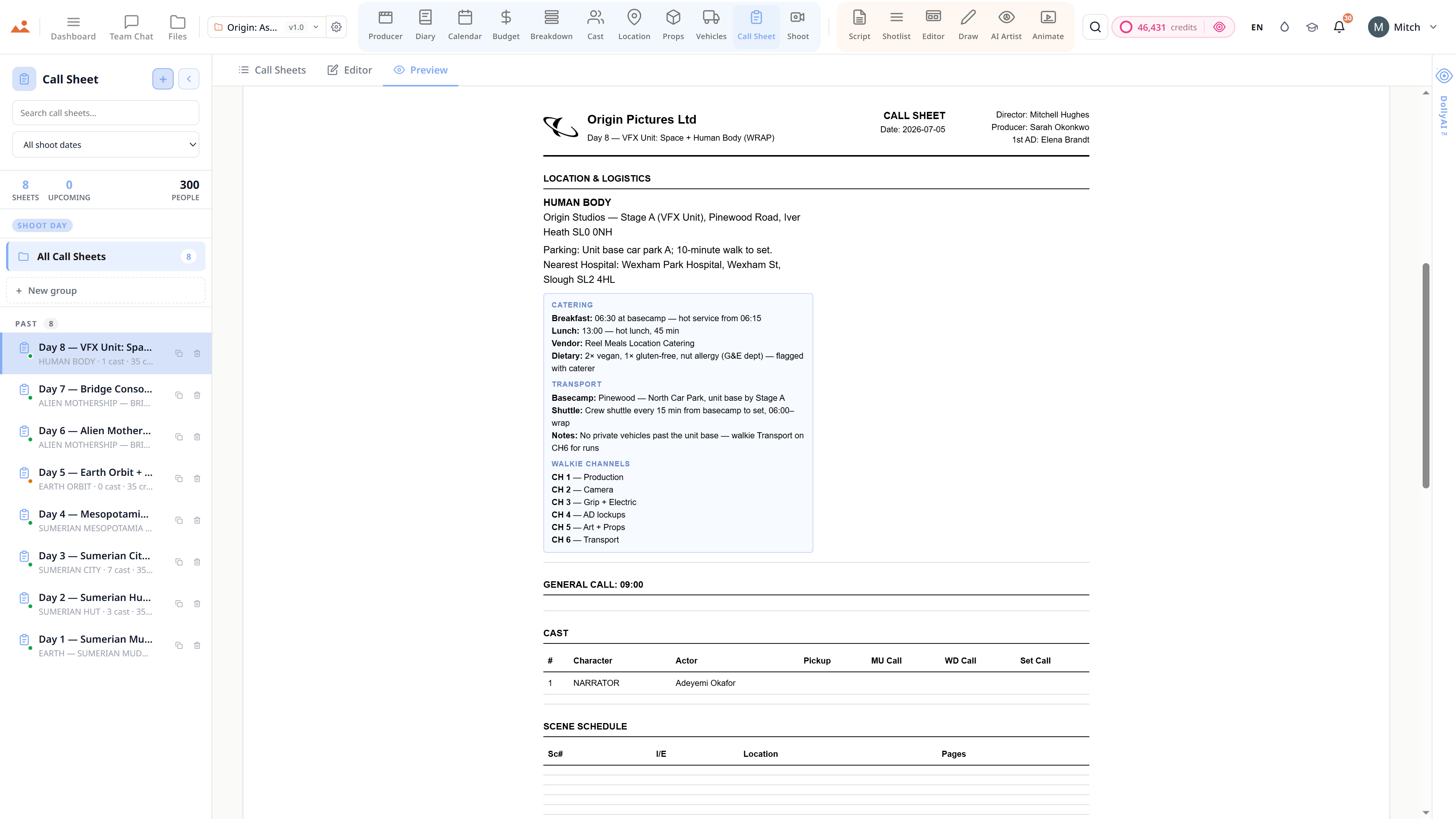
Shoot-day publication locks the linked /shoot-day surface + writes to crew + equipment manifests.
Diary
Shoot-day completion writes the daily DPR + actuals to /diary for the producer's morning read.
Frequently asked
Common questions about Shoot.
Does Shoot track gear by serial number?
Yes. Every gear item carries serial number, owner, condition, current status (in / on hold / checked out / missing) and a per-item checkout chain with timestamp + receiver + expected return + condition at handover.
Can the AI suggest a department's standard kit?
Yes - crew → equipment kit suggestions surface the industry-standard rig per department. Gaffer's standard rig, DIT's standard cart, Sound mixer's standard bag - one click to add the whole kit.
Does the safety brief use real hazard categorisation?
Yes. The AI reads the day's scenes + surfaces hazards by OSHA / CFR risk class - stunts, weapons, vehicles, animals, water - with the canonical mitigation steps. Not a generic prompt.
Can the gap-check actually catch missing crew?
Yes - it compares today's call sheet against the script's department requirements (extracted by the breakdown) and flags exactly which key + grip + gaffer + sound + camera roles are missing before the day starts.
The Promise
Shoot is on every tier.
No locked features, no Pro-only exports, no surprise paywalls. Every Shoot tool on this page ships on every plan - Hobbyist to Enterprise.