Film scheduling software with a stripboard your AD won't fight.
Stripboard, day-out-of-days, gantt and per-day call sheets, built from the breakdown, not typed up twice. Drag a strip and the call sheet, budget and diary keep up.
See the Calendar →


What's inside Calendar
Film scheduling with a stripboard.
- Schedule fitness scored out of 100, with a compliance flag when turnaround is tight
- Crew availability matrix - every crew member across every department against every shoot day, cells you click to cycle confirmed, hold or unavailable
- Equipment bookings day by day with vendor, daily rate and a live rental spend
- Pre-production milestone spine - script lock, budget approval, risk assessments, child licences, tech recce - with overdue items in red
- Daylight hours and golden hour on the day itself, so an exterior is scheduled against the light rather than against hope
- Eight views - stripboard, timeline, grid, gantt, crew, equipment, pre-prod, call sheets
- DOOD (Day-Out-of-Days) report for every actor
- 1st AD Agent - vertical AI for day-order optimisation, conflicts, weather contingency
- Dolly day-order optimizer - cuts wrap time by hours
- Company-move and meal-break awareness
- Weather and daylight windows factored in
- ICS export - crew imports the schedule into their phone calendar
- Import / export the legacy stripboard formats (CSV and FDX shipping today, MMS XML round-trip on the roadmap) - migrate your stripboard in one upload
- IATSE turnaround compliance - flags any next-day call time that would breach the 10-hour minimum after wrap
- Multi-unit scheduling - A unit, B unit, splinter, aerial, underwater, stunt - every shoot day tagged with its unit code
- Daylight and weather swap suggestions - every exterior day reads sunrise / sunset / forecast and flags weather risk on the strip
- Voice-command scheduling - push call times, move days, swap days from a phone mic on set
- Schedule versioning - every save snapshots; revert to any prior version, audit-trailed
- Public share tokens - send a read-only stripboard link to a financier without giving them an account
The pipeline
Where Calendar sits in the production flow.
The schedule that lives inside the project file. Calendar reads cast availability + location confirmation + breakdown element counts + equipment manifest, generates an industry-standard stripboard + DOOD, optimises day order with AI, and publishes shoot days that auto-build call sheets + diary entries downstream.
Feeds downstream into

DollyAI™ in this app
AI commands wired into Calendar.
A few of the 200+ DollyAI commands across the suite, here in Calendar. Every one shows its credit cost before you commit, and every response is anchored in your real project - not a generic prompt.
Day-order optimiser
4 crRe-orders shoot days against cast availability + location distance + weather + equipment + union rules. One-line explanation per move.
Weather risk scorer
2 crPulls 14-day forecast for every EXT scene's location and flags weather risk per shoot day.
Schedule risk scorer
2 crReads the schedule + flags risky days - back-to-back 14-hour stretches, cast double-bookings, union turnaround violations.
Talks to every app
Calendar reads + writes to the same project file.
No re-entry, no copy-paste, no out-of-sync versions. Every connection below is a live data path in the running product.
Breakdown
Per-scene element counts feed shoot-day capacity estimates (a scene with 3 vehicles + 5 cast + INT location takes longer than a single-cast INT).
Cast
Cast availability calendar feeds day-order optimiser; double-bookings flag before publication.
Locations
Confirmed locations + permit status feed the schedule; expired-permit days surface as risks.
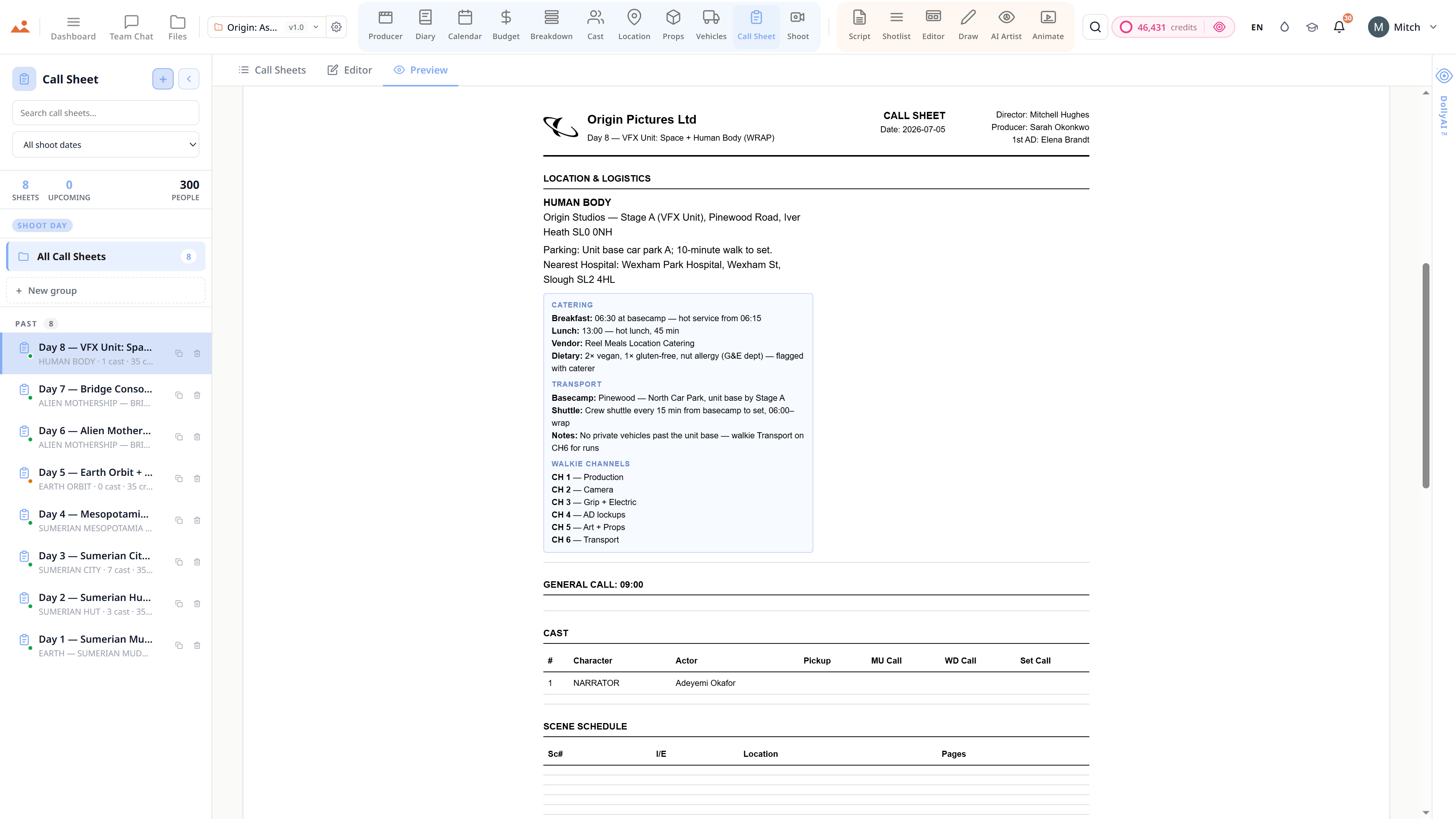
Call Sheet
Shoot-day publication triggers call-sheet auto-build + locks the linked /shoot-day surface.
Diary
Shoot-day publication pre-populates the /diary entry's cast-attendance + scene-list.
Producer
Schedule risk score + day-order changes surface on the producer dashboard.
Frequently asked
Common questions about Calendar.
Does Calendar generate a proper stripboard?
Yes. Industry-standard stripboard view with the same INT/DAY (white) / EXT/DAY (yellow) / INT/NIGHT (blue) / EXT/NIGHT (green) colour coding every 1st AD knows. Cast availability paints live across the strip.
Can the day-order optimiser handle real production constraints?
Yes. DollyAI™ reads cast availability, location distance, weather forecast, equipment availability, and union turnaround rules - and re-orders shoot days with a one-line explanation per move.
Does it sync to Google Calendar / Outlook?
Yes - two-way ICS sync to Google Calendar, Outlook, Apple Calendar. Every crew member sees today's call time on their own device, no app install required.
Can I see the schedule by crew member or by equipment?
Yes. Eight view modes - stripboard, timeline, grid, call sheets, gantt, crew, equipment, pre-prod - each optimised for a different department's read.
The Promise
Calendar is on every tier.
No locked features, no Pro-only exports, no surprise paywalls. Every Calendar tool on this page ships on every plan - Hobbyist to Enterprise.