Location management software - scouting, permits and travel.
Scouting, permits, logistics and travel - mapped, with sun-path and carbon built in. Locations autoseed from the breakdown, INT/EXT with day-night and a scene count.
See Locations →


What's inside Locations
Location management and scouting.
- The nearest A&E is a required field - a location without one is flagged as unsafe to call sheet, in red, before the sheet can go out
- Travel matrix - estimated distance and time between every pair of locations, with a fuel calculator that turns the company move into litres, cost and truck-kilometres
- Company-move carbon pushed into the production carbon model, which otherwise defaults transport to zero and quietly excludes the largest line on most shoots
- Permits tracked per location with status, and a map that plots every geocoded location in company-move order
- Interactive map with pins for every scouted location
- Permit status chips - click-to-cycle between pending, approved, expired, rejected
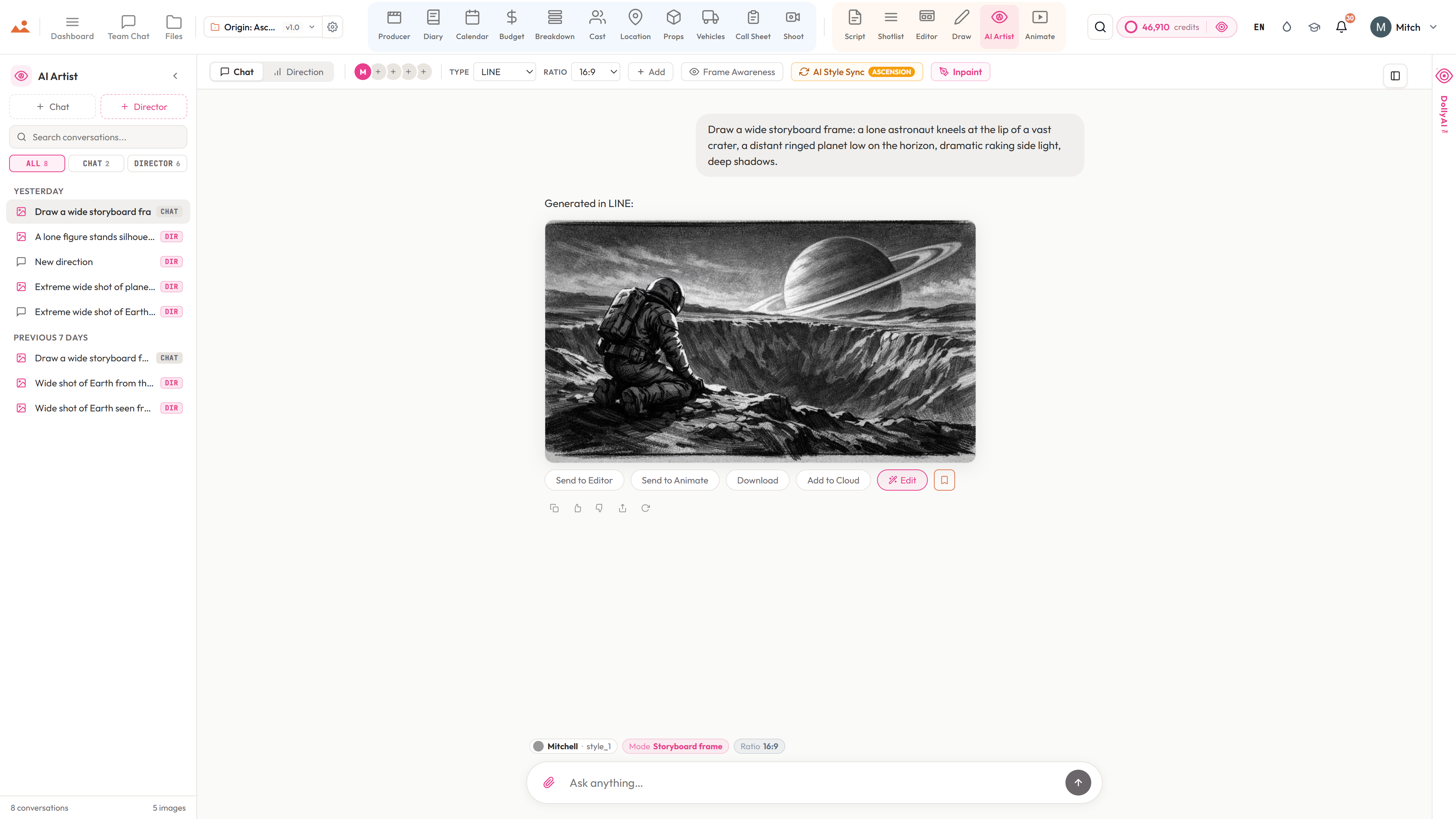
- AI Artist location concept renders - interior, exterior, day, night, weather
- Insurance, contact, fee tracking with 30-day expiry alerts
- Tech-scout photo galleries with annotations + lightbox EXIF
- Company-move distances auto-calculated for the schedule (travel matrix)
- Scene-to-location linking with reverse lookup
- Connected to the Locations + Permits Directory - find vetted spaces with permit timelines and rate cards in one place
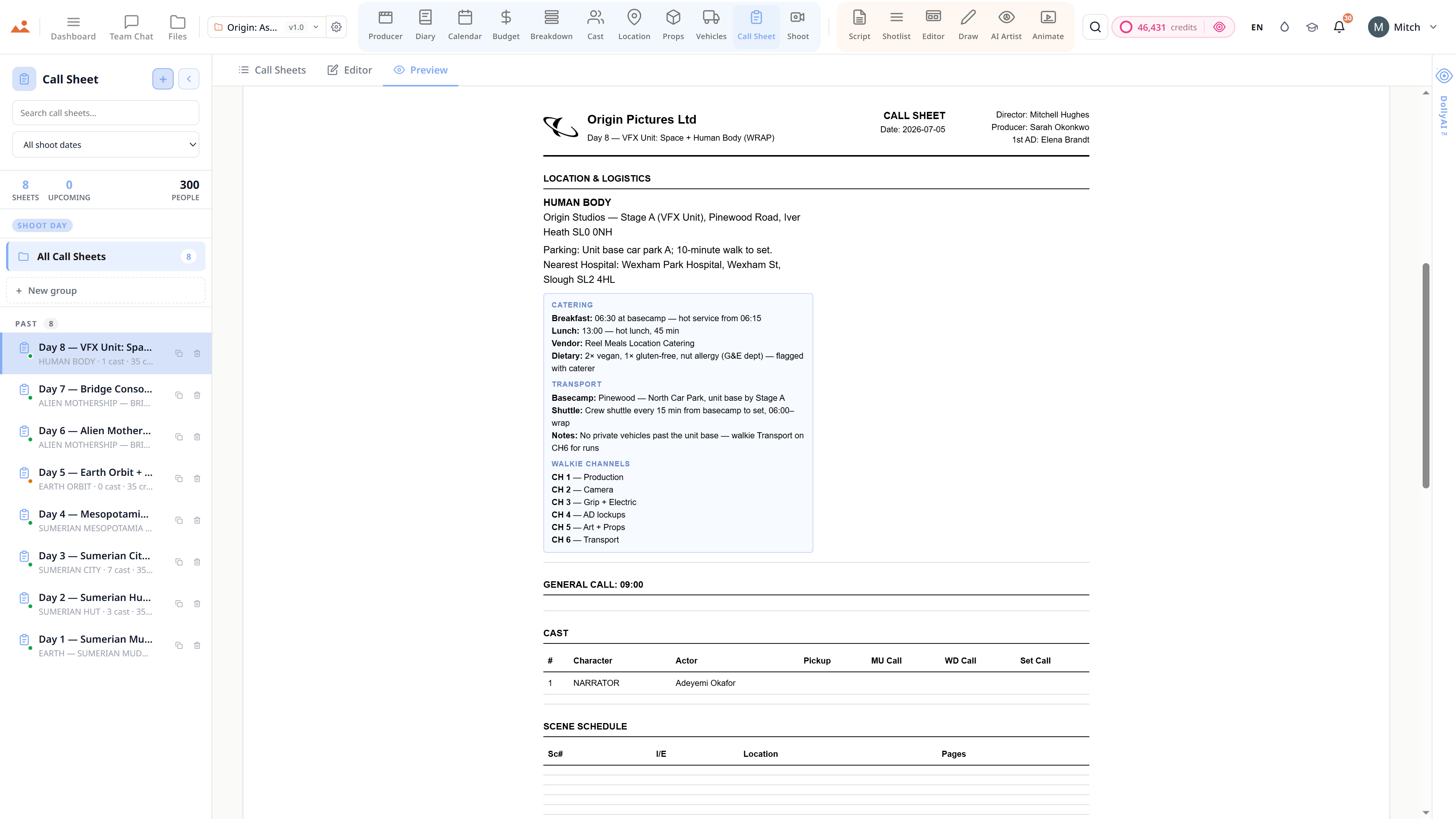
- One-click KML export for Google Earth + location maps pasted into call sheets
The pipeline
Where Locations sits in the production flow.
Where the production actually happens. Locations sits between the breakdown's INT/EXT extraction and the call sheet's daily address. Every confirmed location flows automatically to the call sheet, the schedule's company-move logic, and the producer's risk dashboard.
Feeds downstream into

DollyAI™ in this app
AI commands wired into Locations.
A few of the 200+ DollyAI commands across the suite, here in Locations. Every one shows its credit cost before you commit, and every response is anchored in your real project - not a generic prompt.
Concept render
25 crSend the location's notes + scout photos to the AI Artist for a style-locked concept render - any aspect ratio, any time of day.
Permit risk scorer
2 crReads the location's permit status + jurisdiction + scout timeline + flags shoots at risk of going live without a valid permit.
Travel-matrix optimiser
3 crRe-orders shoot days to minimise total company-move time across the schedule.
Talks to every app
Locations reads + writes to the same project file.
No re-entry, no copy-paste, no out-of-sync versions. Every connection below is a live data path in the running product.
Breakdown
Scene headings autoseed location candidates with INT/EXT + day/night metadata pre-tagged.
Call Sheet
Confirmed locations flow into the daily call sheet with address, parking notes, hospital, lat/lng for the weather widget.
Calendar
Company-move distances feed the day-order optimiser; back-to-back distant locations get flagged.
AI Artist
Per-location Send to AI Artist for style-locked concept renders before scouting day.
Producer
Permit expiry windows + scout completion rates surface on the producer dashboard.
Frequently asked
Common questions about Locations.
Can I track multiple permit statuses per location?
Yes - each permit row carries its own status chip (pending / approved / expired / rejected) and expiry date with 30-day alerts surfaced on the producer dashboard.
Does the travel matrix know about real driving distances?
Yes - distances + drive times auto-calculate between every scouted pin pair. The day-order optimiser reads from it to minimise total company-move time across the schedule.
Can the AI Artist generate location concept renders before I scout?
Yes - per-location Send to AI Artist generates a style-locked concept render of any location at any time of day. Pre-visualise interior, exterior, day, night, weather before scouting day.
Can locations export as KML for Google Earth?
Yes - one-click KML export ships all scouted pins with metadata. Plus a per-location embed lands on every call sheet PDF.
The Promise
Locations is on every tier.
No locked features, no Pro-only exports, no surprise paywalls. Every Locations tool on this page ships on every plan - Hobbyist to Enterprise.