Skip to content

Comparison · Screenwriting

StoryboardCanvas vs. Final Draft

StoryboardCanvas Script is Final Draft with a breakdown, schedule, call sheet, shot list, and storyboard attached.

Final Draft has been the screenwriter's default for 30 years. It's a solid editor - and nothing more. You still need StudioBinder for breakdowns, Movie Magic for schedules, Boords for storyboards, and Frame.io for animatics. StoryboardCanvas is what Final Draft would be if it had shipped the rest of pre-production in one box.

Feature-by-feature

Side by side.

Feature
Final Draft
StoryboardCanvas
Screenplay editor with revision mode
Yes
Yes
FDX/Fountain/Celtx import and export
FDX only
FDX, Fountain, Celtx, PDF, DOCX, RTF
Breakdown tagging in the script
No
Yes - auto-tagged by DollyAI™
Stripboard scheduling
No
Yes - full stripboard with day-order optimization
Call sheet generation
No
Yes - one-click, with weather and maps
Shot list with lens and movement
No
Yes
Storyboard canvas with AI art
No
Yes - signature artist style profiles
Animatic playback
No
Yes
Real-time collaboration
Limited
Full - presence awareness, comments, @mentions
Price
$249 license
£19/mo from Hobbyist, £39/mo Solo, everything included
Revision mode with industry colors
Yes
Yes - with alphanumeric insert scenes

Pricing and feature comparison verified November 2025 from each vendor's public pricing page. We refresh whenever a vendor publishes a new tier. Final Draft pricing: $249 perpetual license.

The verdict

"Final Draft is the format Hollywood agents expect. StoryboardCanvas reads and writes the same FDX, then carries the screenplay through to breakdown, schedule, shotlist, and call sheet without retyping - one cmd+s in /script and Dolly autoseeds every downstream surface inside seconds."

See it for yourself

Step inside a real production, completely free.

Open the actual software on Origin: Ascension, a finished short film, and explore every app exactly as the crew left it. Read the script, walk the boards, open the budget, print the call sheet. Fully read-only, with no sign-up. Nothing you touch is saved.

Try the free demo20 apps · one project file · 0 seconds of setup
No sign-upNo cardNo downloadFully read-onlyNothing you touch is saved
Live demo · Origin: Ascension
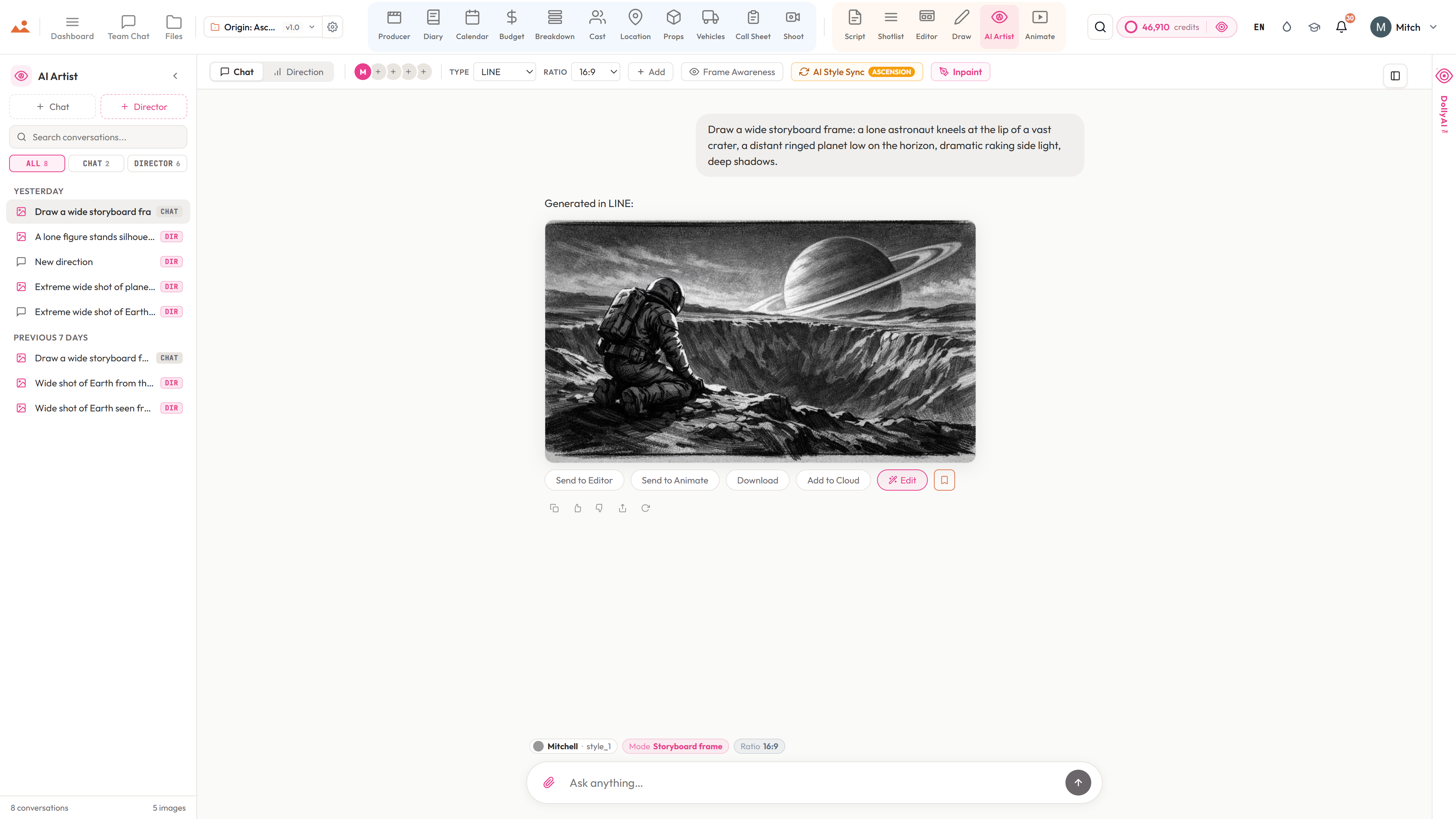
The AI Artist app in the free demo, generating an Origin: Ascension storyboard frame in the project's locked house style.
The Draw studio in the free demo, painting over an Origin: Ascension storyboard frame on the GPU canvas.
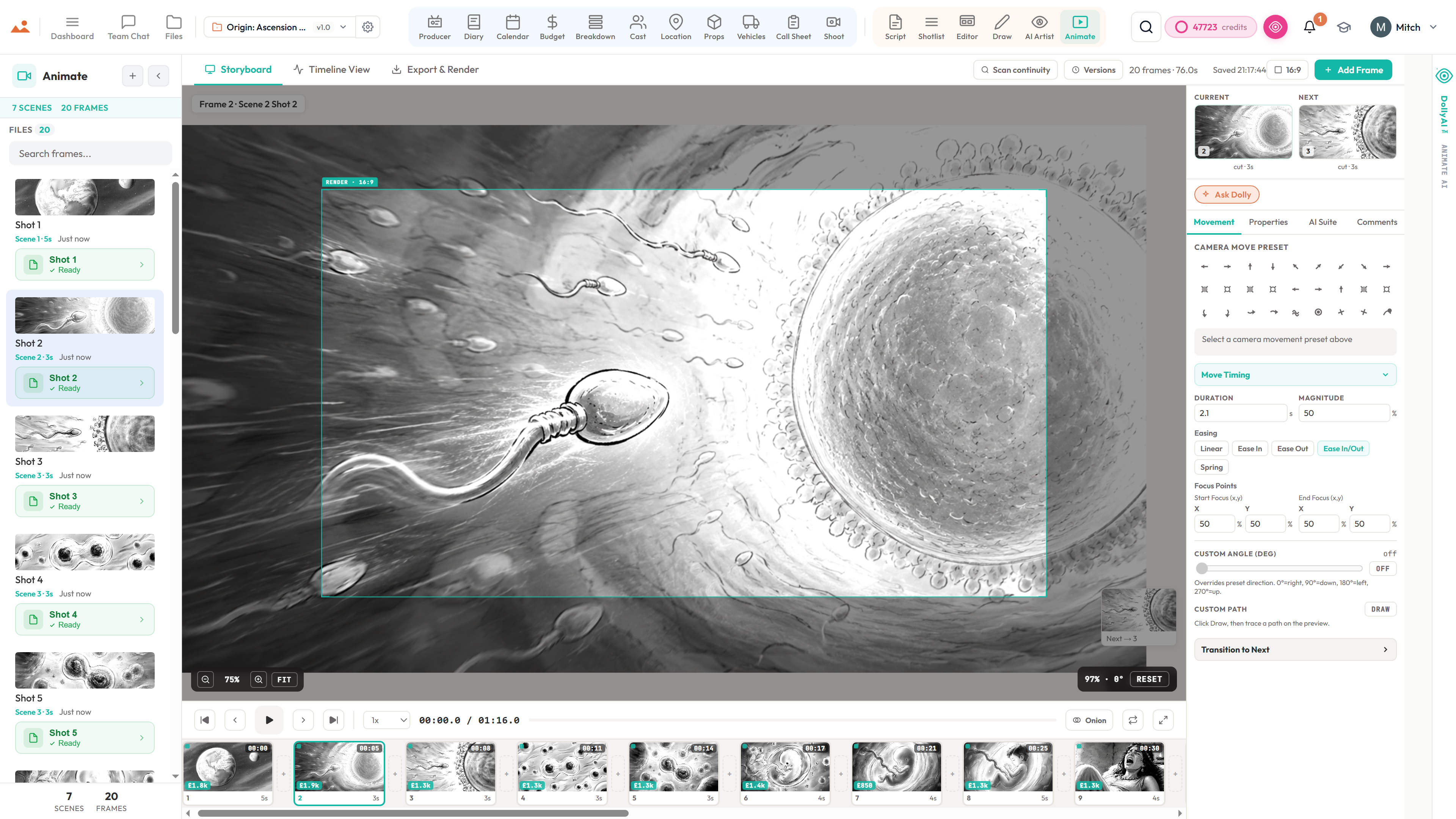
The Animate app in the free demo, playing back the timed Origin: Ascension animatic.
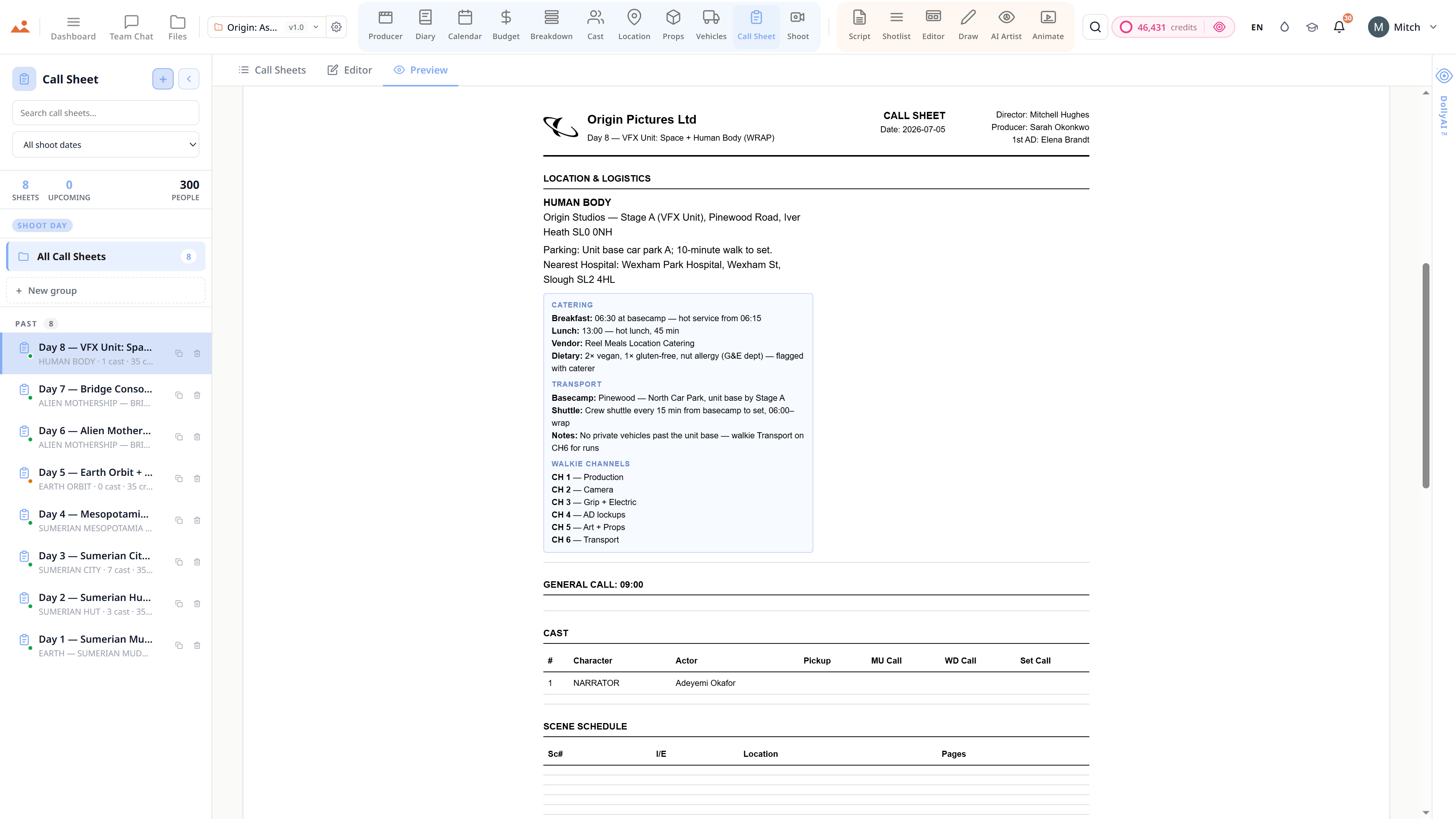
The Call Sheet app in the free demo, showing a finished Origin: Ascension shoot-day call sheet.

Script · breakdown · boards · animatic · call sheets · budget

The demo is a view-only copy shared for exploration. Some features need a paid subscription to run.

Storyboard Canvas · the complete production suite

The complete script-to-screen suite - start free

Twenty synchronised apps, one project file. Every app on every plan - pick a tier by team size, not features.

Get started