Draw Suite
The world-beating web-based GPU-accelerated drawing engine - with a custom brush builder.
Start with stick figures or paint a full finished artwork. 450+ brushes, 120+ paper textures, non-destructive layers, 15+ blend modes, full stylus pressure + tilt - running at 60fps in your browser.
No plugins. No install. No download. Open a tab and paint.
A full painting engine - right in your browser.
450+ brushes, 120+ paper textures, non-destructive layers and full stylus pressure + tilt, all rendering at 60fps. No download, no plugin - open a tab and paint.
Open the Draw engine →
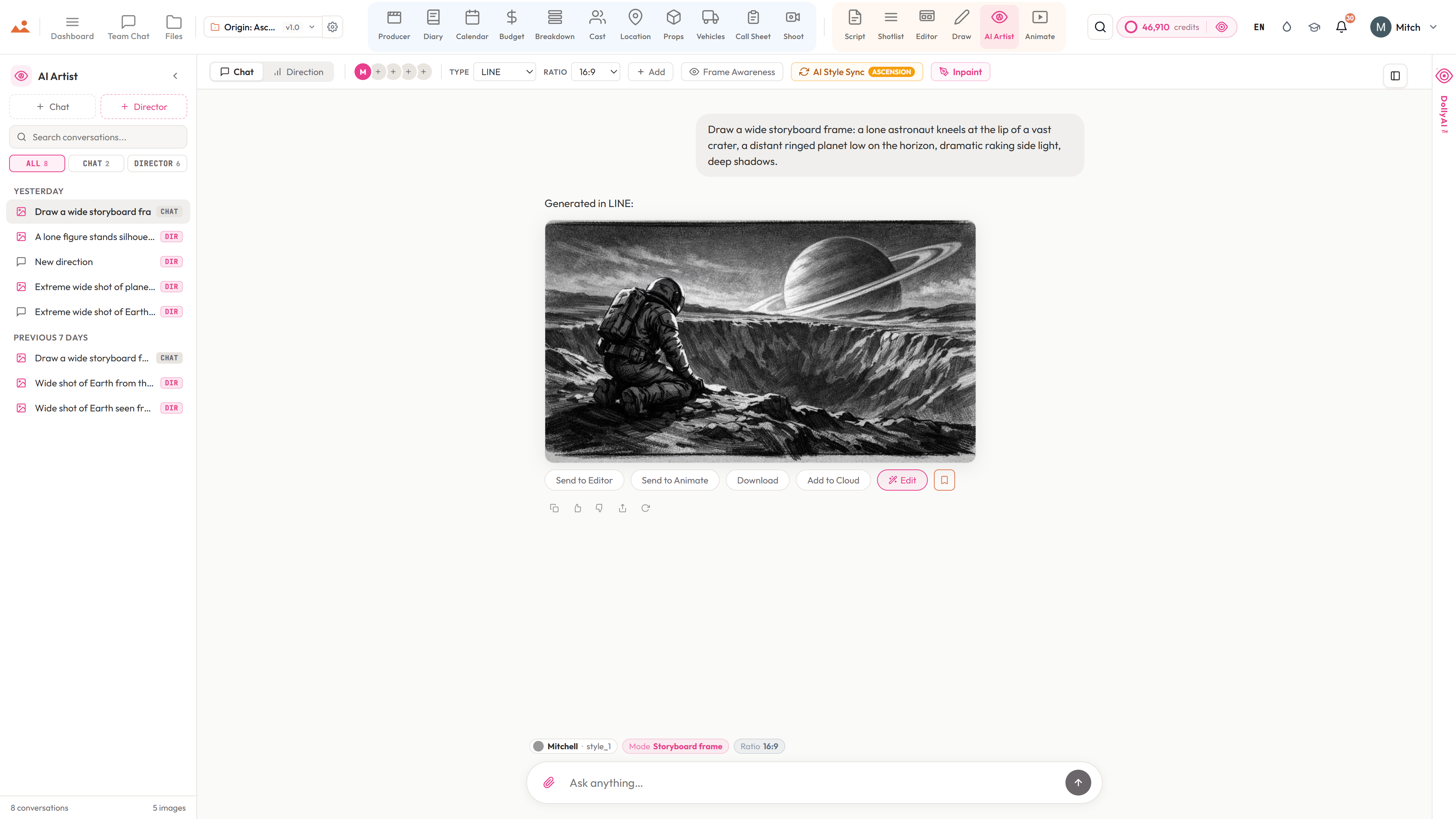
Or let DollyAI™ block it in - then paint over the top.
Generate style-locked concept frames in seconds, drop them onto a Draw layer, and refine by hand. The AI does the heavy lifting; you keep the authorship.
See the AI Artist →
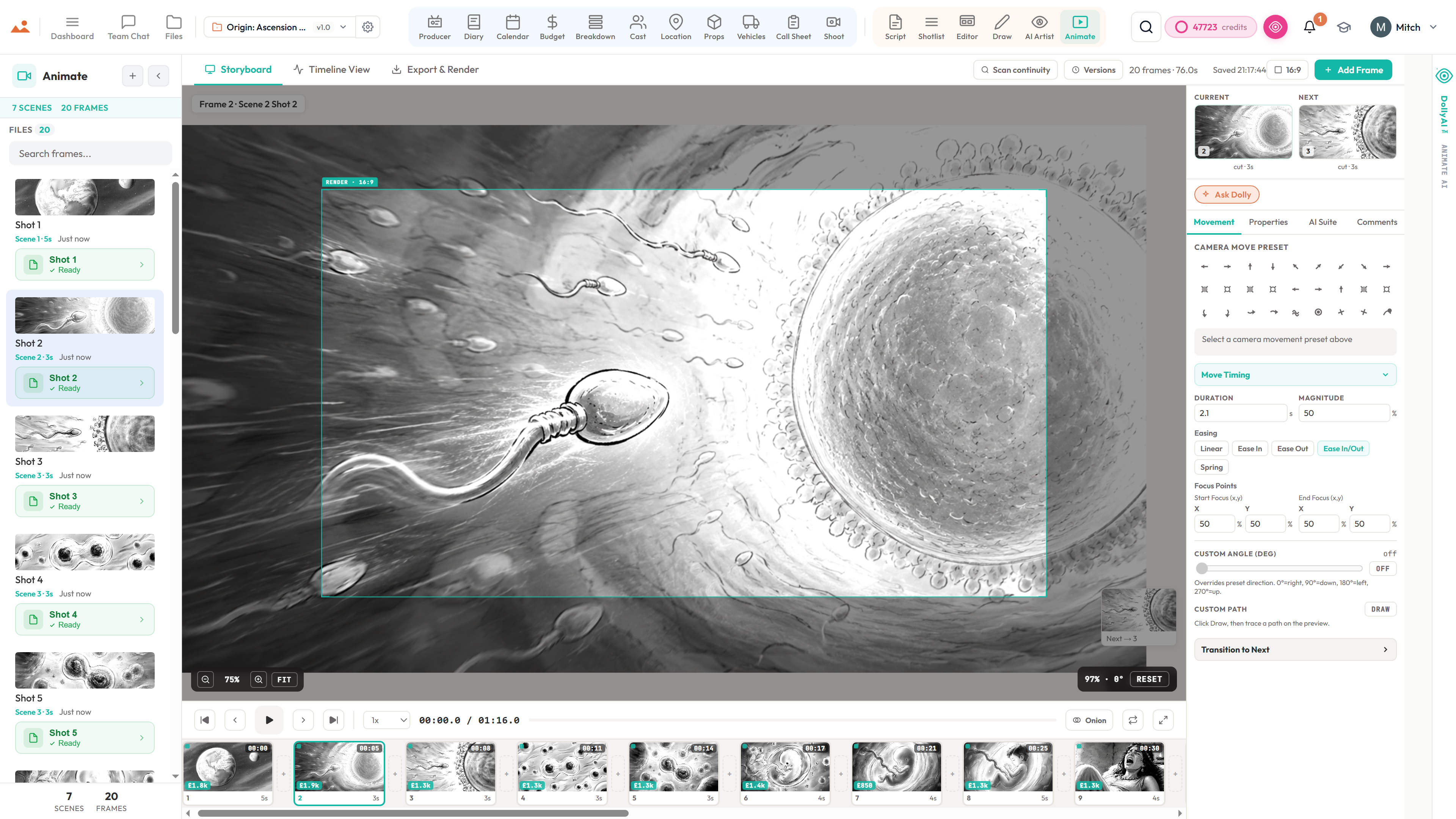
Every drawing lands on the storyboard, linked to its scene.
Send a finished panel straight to the storyboard editor - annotated, versioned and tied to the shot it illustrates. No exporting, re-naming or re-importing.
See the storyboard editor →
Under the Hood
Built for artists who demand performance
World-Beating GPU-Accelerated Rendering
Our custom, proprietary GPU-accelerated drawing engine renders at 60fps in your browser - no plugins, no installs. Four-phase performance pipeline purpose-built for cinematic storyboarding.
- GPU compositor for layer blending at native framerate
- Web Worker off-thread brush computation - zero jank
- Dirty-region rendering - only re-composite what changed
- OffscreenCanvas worker - zero main-thread dab pixel cost
- Dynamic overscan with auto-resize for large brush radii
- Snapshot cache for instant compositor recovery
Phase 1: WebGL2 GPU Compositor ✓
Phase 2: Web Worker Threading ✓
Phase 3: Dirty Region Rendering ✓
Phase 4: OffscreenCanvas Worker ✓
// Zero main-thread dab cost
Custom Brush Builder + Tip & Texture Studios
Our in-house brush builder gives you full control: pressure, flow, scattering, jitter, tilt, texture, dual-brush blending - the works. Build a brush from nothing: paint your own tip stamp pixel by pixel, draw or import your own paper grain, and trade the finished brush with your team. Ships with a library of 450+ ready-to-paint brushes.
- 450+ stock brushes across ink, pencil, oils, watercolour, charcoal, airbrush, gouache, chalk, markers, and bristle sets
- Custom brush builder - tweak every dynamic: size, hardness, spacing, scattering, jitter, angle, flow, pressure gamma
- Custom Tip Painter - draw your own brush-tip stamp by hand (or import an image), then paint with it instantly
- Custom Texture Creator - paint or import paper grain and save it to your own texture library
- .sbcd brush export - package a whole brush (tip + texture + every setting) and share it with the team in one file
- Dual-brush blending for complex, textured marks
- Import any .abr brush file - your favourite packs come with you
- MyPaint engine: full .myb preset support for natural-media feel
{
size: 20,
hardness: 0.8,
spacing: 0.15,
pressureGamma: 0.7,
minSizeFraction: 0.05
}
// + MyPaint .myb presets
120+ Paper Textures + Canvas Presets
Real paper feels real. Choose from over 120 canvas and paper textures - cold-press cotton, hot-press smooth, rough watercolour, vellum, bristol, kraft, linen, newsprint, and more. Set once and paint naturally.
- 120+ high-resolution paper and canvas textures
- Cold-press, hot-press, rough, smooth - every surface a working illustrator asks for
- Texture depth, scale, contrast, and invert controls
- Per-layer texture overrides - not just document-wide
- Custom texture import for bespoke surfaces
- Cinematic storyboard paper presets (16:9, 2.39:1, 4:3, square)
none → Raw pass-through
basic → Exponential MA
weighted → Ring buffer WMA
stabilizer → Lazy brush
pixel_perfect → Collinear elim
// Full pressure + tilt
Full Stylus Pressure + Tilt
Every tablet, every stylus. Pressure sensitivity, X/Y tilt, and barrel rotation with five smoothing modes for pixel-accurate tracking on any device.
- Full pressure sensing with normalisation (0.0–1.0)
- X/Y tilt angle detection and pen barrel rotation
- 5 smoothing modes: None, EMA, Weighted, Stabilizer, Pixel Perfect
- Stabilizer mode: lazy brush with 3-sample ramp-up
- Spatial calibration overlay for pointer verification
- Pressure stress test with real-time histogram and response curve
Normal · Multiply · Screen
Overlay · Soft Light · Hard Light
Darken · Lighten
Color Dodge · Color Burn
Difference · Exclusion
Hue · Saturation · Color
Luminosity
Non-Destructive Layers + 15+ Blend Modes
Professional layer stack with 15+ blend modes, adjustment layers, groups, masks, per-layer opacity, and drag-to-reorder. GPU-accelerated compositing keeps complex documents fast.
- 15+ blend modes: Normal, Multiply, Screen, Overlay, Soft Light, Hard Light, Darken, Lighten, Color Dodge, Color Burn, Difference, Exclusion, Hue, Saturation, Color, Luminosity
- Adjustment layers: Brightness, Contrast, Hue, Saturation, Levels, Curves
- Layer groups, clipping masks, alpha locks, and merge controls
- Per-stroke accumulation buffer for opacity capping
- Drag-to-reorder with bulk visibility toggles
- GPU-accelerated compositing - 100+ layer documents stay smooth
B → Brush E → Eraser
S → Smudge L → Lasso
R → Rect T → Text
W → Wet C → Color
Ctrl+Z → Undo
Ctrl+S → Save
Complete Tool Palette + Radial Menu
Every tool a working storyboard artist needs - brushes, erasers, smudge, selection, text, shapes, gradient, eyedropper - all one keystroke away.
- Brush tool with variable size, hardness, opacity, and flow
- Eraser, smudge, clone, blur, sharpen, dodge, burn
- Selection: rectangular, elliptical, freehand lasso, magic wand
- Color panel with RGB/HSL/HEX picker and swatch history
- Channels panel for individual RGBA editing
- Radial menu for one-flick tool switching + full keyboard shortcuts
Buffer: 200 entries (circular)
Dedup: 2s window
Toast: max 3 stack
Error → 8s (red)
Warn → 5s (amber)
Info → 4s (blue)
// WebGL restore propagation
Cinematic Export + ABR / .sbcd Brush Trading
Ship production-ready frames. Export to PNG, JPEG, PSD, and project JSON. Import .abr brush files, trade complete brushes in our own .sbcd format, and pull reference straight from your project cloud.
- Export PNG, JPEG, PSD (layered), and project JSON
- Multi-frame storyboard export - whole sequences in one click
- Adobe ABR brush file import (versions 1, 2, 6–10)
- .sbcd brush format - export and import whole brushes (tip + texture + settings) to share across the team
- Insert reference from your project cloud - frames, characters, locations, props, every shared asset - or a local file
- Lossless project save/restore with full history + cloud sync - pick up on any device mid-stroke
- Direct hand-off to Animate, AI Artist, and the storyboard editor with scene linkage
Architecture
Pen tip to pixel - the full pipeline
→ BrushWorkerBridge → Web Worker
→ SimpleBrushEngine (Hermite curves, dabs)
→ WorkerDabRenderer (OffscreenCanvas)
→ ImageBitmap transfer (zero-copy)
→ Main thread: drawImage → layer canvas
→ Compositor → On-screen WebGL surface
Fallback path (eraser, tips, bristles, wet):
Worker → raw SkiaDabParams → Main DabRenderer → canvas
Browser drawing engine — common questions

Professional drawing tools, zero install.
Open your browser. Start painting. GPU-accelerated performance meets web accessibility.