Production diary software - DPRs, continuity and BTS in one log.
Daily production reports, a shoot-log stripboard, an issues board and a behind-the-scenes gallery - every shooting day captured, ready to hand to the bond company. Yesterday's DPR feeds today's hot-cost automatically.
See the Diary →


Wat zit erin Dagboek
Productiedagboek, DPR's en continuïteit.
- The daily production report writes itself from the day you logged: a director's narrative, the Exhibit G cast-time table, a weekly progress digest and the end-of-day wrap, one button each
- DPR register shows which shoot days have their report on file and which do not, so the gap is visible before a financier finds it
- Issues log with severity and lifecycle - the compliance trail an insurer asks for when a stunt goes wrong
- BTS media filed against the shoot day it belongs to, feeding the EPK and the wrap binder automatically
- 11 view modes - daily log, DPR, BTS, scene completion, problem log, and more
- Live Continuity Tablet - script supervisor, 1st AC, and sound mixer share one record on set
- Costume + Makeup Continuity capture - auto-tagged photos for instant scene recall
- Shoot-day sidebar with one-click filter
- BTS photo and video uploads with scene linking + lightbox
- PDF and DPR export for production insurance and post
- Scene completion log ties back to Script and Schedule
- Dolly summarises each day into a shareable crew recap
- Per-day unit code - A unit, B unit, splinter, aerial, underwater, stunt - the DPR header tags every entry
- Per-day production phase - principal, second-unit, pickup, reshoot, post-VFX - tax-credit-ready paper trail
- Safety-incident routing - the moment one is logged, the producer + team admins get notified, the audit log captures it, the bond company's chain-of-custody record stays clean
- Scene-completion back-write - flip a scene wrapped in the diary and the shoot day's scenes JSON updates automatically
- Permit-expiry warnings - every linked location's permit status is read at GET time; expired or expiring permits surface on the entry
- IATSE turnaround check - prev-day wrap to next-day call computed automatically; anything under the 10-hour minimum flagged on the DPR
De pijplijn
Waar Dagboek zit in de productieflow.
Het on-set dagboek dat zichzelf organiseert. Het dagboek zit aan het einde van elke draaidag, leest van het call sheet (gepland), de shoot app (werkelijke apparatuur gebruikt) en de cast app (aanwezigheid) - en produceert de DPR + kostuum + make-up + continuïteitsverslagen die de productie nodig heeft wanneer er iets misgaat.
Voedt stroomafwaarts in

DollyAI™ in deze app
AI-opdrachten ingeplugd in Dagboek.
Een paar van de 200+ DollyAI commando's in de suite, hier in Dagboek. Elke toont de kosten in credits voordat je je verbindt, en elke reactie is verankerd in jouw echte project - niet een generieke prompt.
Crew samenvatting
2 crDolly vat elke dag samen in een crew samenvatting van 200 woorden - welke opname, wat is afgerond, wat staat er morgen op de planning. Deelbaar in WhatsApp / e-mail formaat.
Probleemlog review
2 crLeest de probleemlog van de dag en brengt patronen aan het licht - 'dit is de 3e keer dat de camerabatterij is leeggelopen tijdens de nachtelijke opname'.
DPR-narratief
3 crCoverparagraaf voor de DPR PDF, in eenvoudige Engelse taal, geformatteerd voor de ochtendleest van het borgbedrijf.
Praat met elke app
Dagboek leest + schrijft naar hetzelfde projectbestand.
Geen herinvoer, geen knippen/plakken, geen versies die niet synchroon zijn. Elke verbinding hieronder is een live datapad in het draaiende product.
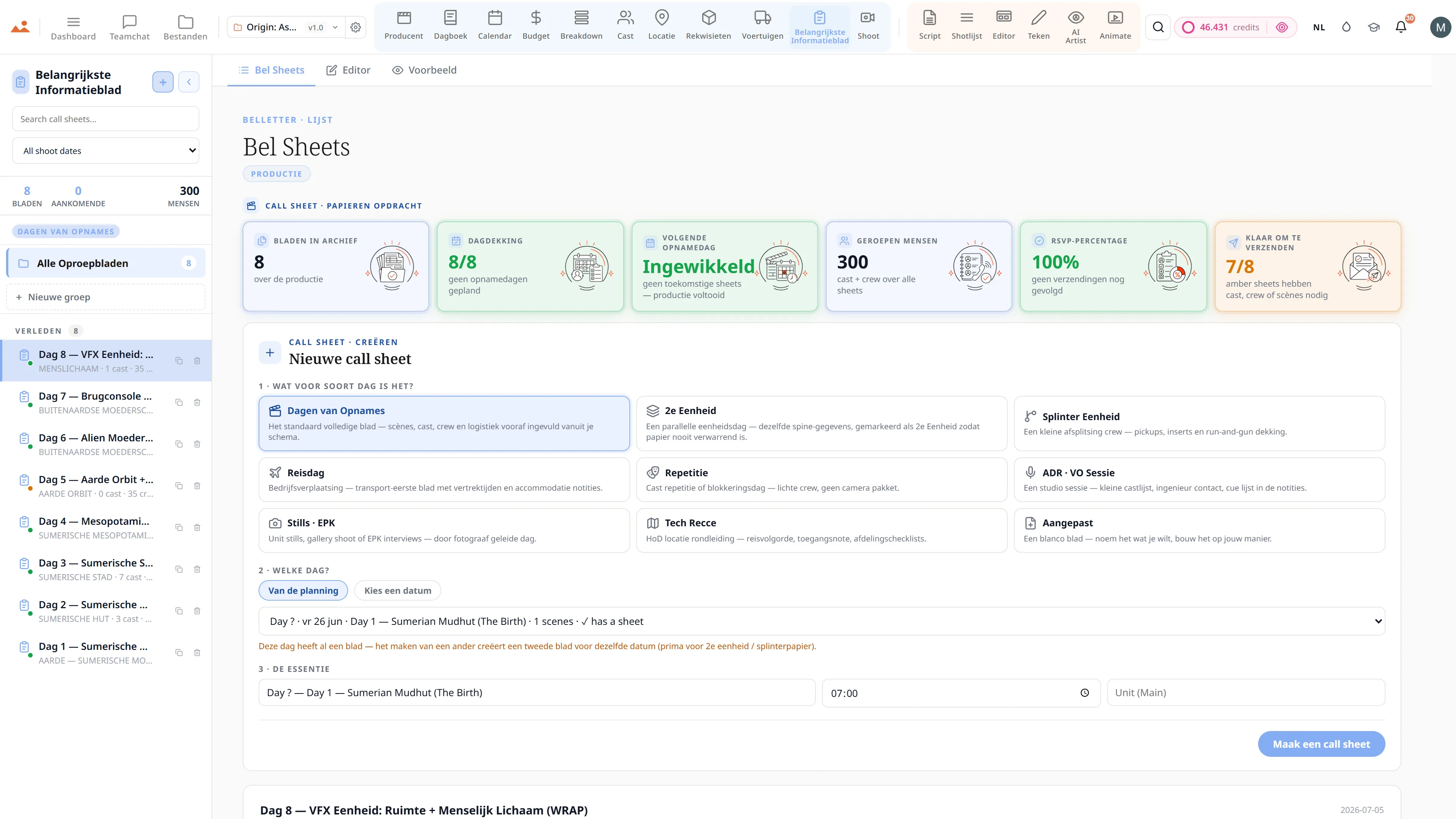
Bel Sheet
De publicatie van het oproepblad van vandaag vult automatisch de dagboekvermelding in met cast aanwezigheid + scèneslijst + algemene oproep.
Opname
De uitrusting uitleenketen op de draaidag voedt automatisch het logboek van gebruikte apparatuur in het dagboek.
Cast
De cast aanwezigheid uit het dagboek voedt de Exhibit G van de producent + SAG boete berekeningen.
Producent
De DPR van gisteren voedt de OT voorspeller van vandaag + hot-cost voorspelling.
Veelgestelde vragen
Veelvoorkomende vragen over Dagboek.
Bouwt het dagboek automatisch het Daily Production Report?
Ja. De DPR PDF - geschoten pagina's, voltooide scènes, looptijd, cast aanwezigheid, weer, problemen - wordt aan het einde van de dag automatisch opgebouwd uit de gestructureerde vermeldingen van het dagboek. Geformatteerd volgens de specificaties die elke verzekeraar + borgbedrijf verwacht.
Wat is de Live Continuity Tablet?
Een gedeeld live verslag waar de script supervisor, 1st AC en geluidsmixeur tegelijkertijd aan dezelfde dagboekvermelding schrijven op de set. Elke camerabeurt, elk scènesummer, elke audiopunt wordt in real-time vastgelegd - geen afstemming aan het einde van de dag.
Kan kostuum- en make-upcontinuïteit worden vastgelegd met foto's?
Ja - een snelle foto aan het begin van elke opname tagt automatisch de scène + acteur. De volgende keer dat de scène wordt opgenomen, toont het systeem onmiddellijk de vorige continuïteitsfoto. Continuïteit stopt met een clipboard te zijn.
Hoe voedt het dagboek de ochtendbriefing van de producent?
De dagboekvermelding van gisteren - geschoten pagina's, looptijd, aanwezigheid van de cast, probleemlog - voedt de OT-voorspeller van de producent + hot-cost voorspelling + EFC-samenvatting. De EP scant de ochtendbriefing om 6 uur 's ochtends, verankerd in de werkelijke cijfers van gisteren.
De Belofte
Dagboek is aan elke laag.
Geen vergrendelde functies, geen Pro-only exports, geen verrassende betaalmuren. Elke Dagboek tool op deze pagina is beschikbaar op elk plan - Hobbyist tot Enterprise.