Storyboard editor software - frame, draw and previs in one file.
Shot list to storyboard to animatic, in one file. Frame the screenplay, draw over it with 450+ pro brushes, then play it back as a timed previs. No exporting between four apps.
See the Storyboard editor →


என்ன உள்ளது மன்னிக்கவும், நீங்கள் வழங்கிய தகவல் முழுமையாக இல்லை. தயவுசெய்து மேலும் விவரங்களை வழங்கவும், நான் உதவ விரும்புகிறேன்.
Storyboard எடிட்டர் மற்றும் ஃப்ரேம் கான்வாஸ்.
- Frames arrive from the shot list already carrying their scene, shot size and description
- Frame-anchored comments for review, with threaded replies and a share link that needs no login
- Drag, snap, group, and layer frames on a pixel canvas
- Smart alignment guides and auto-spacing
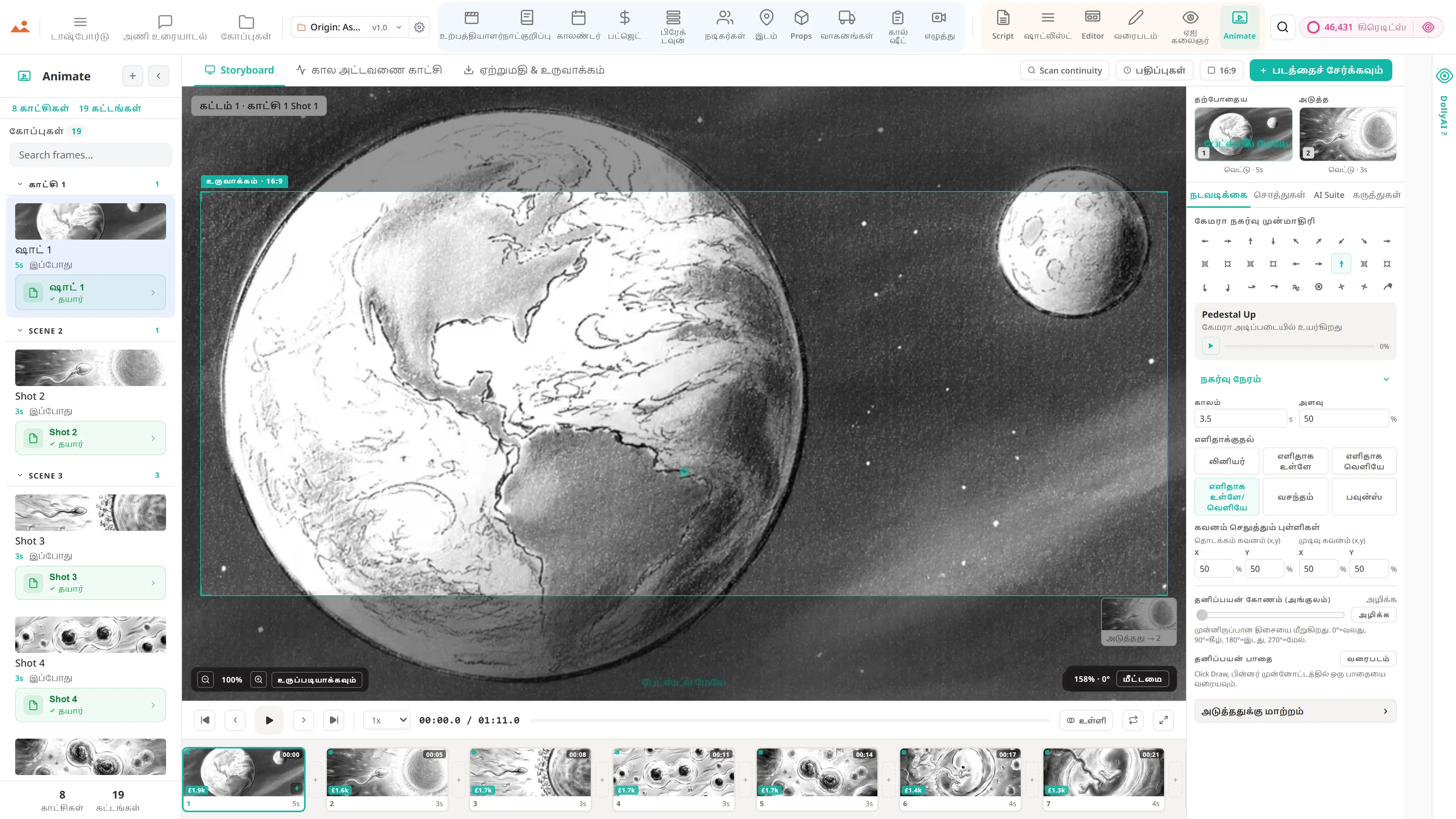
- Camera-movement overlays - push, pull, pan, tilt, dolly, crane, handheld, gimbal
- Frame → AI animatic clip → schedule loop - visual previs without leaving the project
- Scene and sequence templates for pitch decks
- Full-screen presenter mode for director pitches
- Per-frame comment threads with parent-child replies and approvals
- Stale-frame detection - when a scene heading is renamed or removed, affected frames surface for review
- 2×2, 3×3, and custom PDF grid export at 300 DPI
குழாய்முறை
எங்கு மன்னிக்கவும், நீங்கள் வழங்கிய தகவல் முழுமையாக இல்லை. தயவுசெய்து மேலும் விவரங்களை வழங்கவும், நான் உதவ விரும்புகிறேன். உற்பத்தி ஓட்டத்தில் உள்ளது.
கொம்போசிஷன் மேற்பரப்பு. எடிட்டர் ஷாட்லிஸ்டில் இருந்து ஷாட்களை, AI Artist இல் இருந்து ஃப்ரேம்களை, மற்றும் Draw இல் இருந்து ஓவியங்களை எடுத்து, அவற்றை பிக்சல் கான்வாஸ் மீது ஸ்நாப் கையேடுகள் + அடுக்குகள் + மாதிரிகள் உடன் அமைத்து, டெக் ஐ அனிமேட் இல் நேரம் அடிப்படையிலான அனிமாட்டிக் ஆக அல்லது நிதியுதவியாளருக்கு PDF கிரிட் ஆக அனுப்புகிறது.
இந்த செயலி
மன்னிக்கவும், நீங்கள் வழங்கிய தகவல் முழுமையாக இல்லை. தயவுசெய்து மேலும் விவரங்களை வழங்கவும், நான் உதவ விரும்புகிறேன்.
உரிமையாளர்: இயக்குனர் + Storyboard கலைஞர்

இந்த செயலியில் DollyAI™
AI கட்டளைகள் இணைக்கப்பட்டுள்ள மன்னிக்கவும், நீங்கள் வழங்கிய தகவல் முழுமையாக இல்லை. தயவுசெய்து மேலும் விவரங்களை வழங்கவும், நான் உதவ விரும்புகிறேன்..
சூட்டில் உள்ள 200+ DollyAI கட்டளைகளில் சில, இங்கே மன்னிக்கவும், நீங்கள் வழங்கிய தகவல் முழுமையாக இல்லை. தயவுசெய்து மேலும் விவரங்களை வழங்கவும், நான் உதவ விரும்புகிறேன்.. ஒவ்வொருவரும் நீங்கள் உறுதிப்படுத்தும் முன் அதன் கிரெடிட் செலவைக் காட்டுகிறார்கள், மற்றும் ஒவ்வொரு பதிலும் உங்கள் உண்மையான திட்டத்தில் அடிப்படையாகக் கொண்டது - பொதுவான உத்தியை அல்ல.
மறுபடியும் வரிசைப்படுத்த பரிந்துரை செய்க
2 crடெக் ஐ படிக்கிறது + சினிமா கதைப்பாடமாக படிக்கும் ஃப்ரேம் வரிசையை பரிந்துரை செய்கிறது - ஆரம்ப பிளாக்கிங் க்கான பயனுள்ளதாக.
முடிவில்லாத ஃப்ரேம் சரிபார்ப்பு
1 crஃப்ரேம் உருவாக்கப்பட்ட பிறகு, அதன் மூல காட்சி தலைப்பு மாறிய அல்லது நீக்கப்பட்ட ஒவ்வொரு ஃப்ரேமையும் கொடுக்கிறது.
Composition critique
3 crஒவ்வொரு கட்டத்தில் உள்ள கட்டமைப்பின், மூன்று விதிமுறைகள், வழி வரிகள், கண் வரி ஆகியவற்றின் மீது விமர்சனம். சினிமாடிரபி கானனுக்கு அடிப்படையாக, பொதுவானதல்ல.
ஒவ்வொரு செயலியுடனும் பேசுகிறது
மன்னிக்கவும், நீங்கள் வழங்கிய தகவல் முழுமையாக இல்லை. தயவுசெய்து மேலும் விவரங்களை வழங்கவும், நான் உதவ விரும்புகிறேன். எழுதுகிறது + படிக்கிறது அதே திட்ட கோப்புக்கு.
மீண்டும் நுழைவு இல்லை, நகல்-ஒட்டுதல் இல்லை, ஒத்திசைவு இல்லாத பதிப்புகள் இல்லை. கீழே உள்ள ஒவ்வொரு இணைப்பும் செயல்பாட்டில் உள்ள தயாரிப்பில் ஒரு நேரடி தரவுப் பாதையாகும்.
ஷாட்லிஸ்ட்
ஒவ்வொரு ஷாடிற்கும் எடிட்டருக்கு அனுப்பவும் - வரிசை காட்சி இணைப்பை பாதுகாக்கும் வகையில் ஒரு ஸ்டோரி போர்டு பானலாக இறங்குகிறது.
ஏஐ கலைஞர்
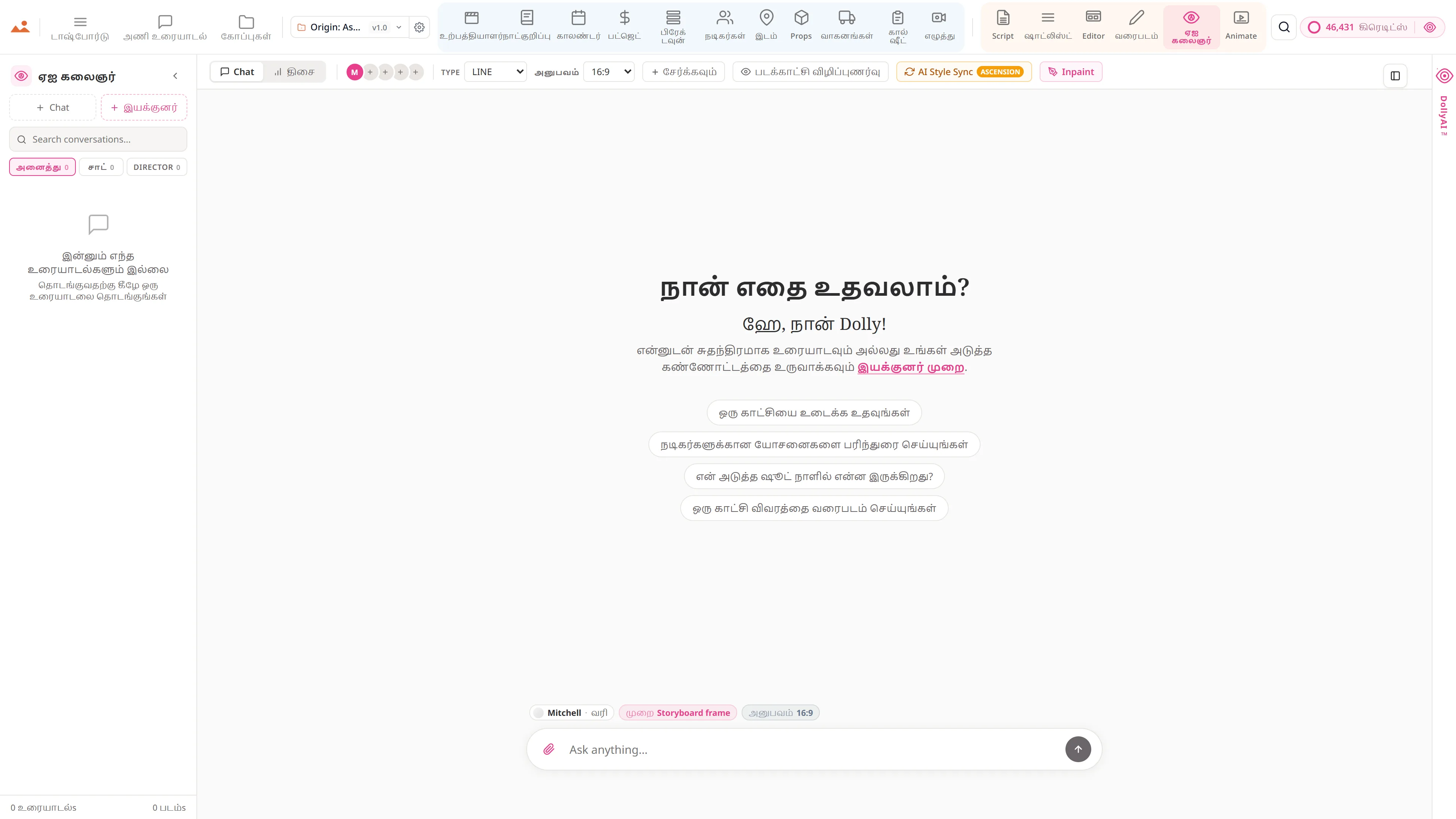
ஒவ்வொரு AI Artist உருவாக்கத்திற்கும் ஒரு Editor க்கு அனுப்பும் சிப் உள்ளது - காட்சி இணைப்புடன் கட்டத்தில் விழுகிறது.
வரையுங்கள்
ஒரு கிளிக்கில் முடிக்கப்பட்ட Draw கட்டத்தை எடிட்டருக்கு அனுப்பவும். Stroke வரலாறு /files இல் பாதுகாக்கப்பட்டுள்ளது.
அனிமேட்
முழு கட்டத்தை Animate க்கு ஒரு கால அளவீட்டான அனிமேட்டிக் ஆக அனுப்பவும் - அதே திட்ட கோப்பு, மீண்டும் இறக்குமதி செய்ய வேண்டாம்.
கோப்புகள்
/files இல் ஒவ்வொரு கட்டத்தின் பதிப்பு வரலாறு. மற்றவற்றை இழக்காமல் எந்த கட்டத்தையும் எந்த முந்தைய சேமிப்புக்கு திருப்பவும்.
வாக்குறுதி
மன்னிக்கவும், நீங்கள் வழங்கிய தகவல் முழுமையாக இல்லை. தயவுசெய்து மேலும் விவரங்களை வழங்கவும், நான் உதவ விரும்புகிறேன். இது ஒவ்வொரு நிலை.
எந்த கட்டுப்பட்ட அம்சங்களும் இல்லை, Pro-க்கு மட்டும் ஏற்றுமதிகள் இல்லை, ஆச்சரியமான கட்டணங்கள் இல்லை. ஒவ்வொரு மன்னிக்கவும், நீங்கள் வழங்கிய தகவல் முழுமையாக இல்லை. தயவுசெய்து மேலும் விவரங்களை வழங்கவும், நான் உதவ விரும்புகிறேன். இந்த பக்கம் உள்ள கருவி அனைத்து திட்டங்களில் - Hobbyist முதல் Enterprise வரை - வழங்கப்படுகிறது.
சூட்டில் மேலும்