Skip to content

Production team chat anchored to the line, the frame and the day.

Real-time channels per department with threaded replies and frame-anchored comments, syncing live across every device on the crew. No more lost Slack threads or group texts that fall apart at wrap - every conversation pinned to the work it is about.

See Team Chat
Team Chat 앱은 제작 사무실 채널에서 열려 있으며, 카메라 및 조명, 아트 및 로케이션, VFX 및 포스트, 마무리 및 배달, 일반 채널이 측면에 있으며, 실제 제작 메시지 스레드가 있습니다. 초안 일정은 회사 이동을 최소화하기 위해 세계별로 그룹화되어 있으며, 가장 큰 날은 추가 AD와 두 명의 의료진을 위해 플래그가 지정되어 있습니다. 예산 v3는 요소에 대해 잠겨 있으며, 로테르담은 12일째로 확인되었고, 1일째는 예정대로 마무리되었으며, 파일럿에 대한 마무리 메시지가 있습니다.
Team Chat
Production channels that live inside the production: the production office, camera and lighting, art and locations, VFX and post, wrap and delivery - the conversation sitting next to the schedule, budget and dailies it is about.

내용물 팀 채팅

부서별 제작 팀 채팅.

  • Channels that keep the record - the production office, camera and lighting, art and locations, VFX and post, wrap and delivery - sitting next to the schedule and budget they are about
  • Channels, DMs, and threaded replies
  • Comments anchored to script lines and frames
  • @mentions, approvals, and audit trails
  • Presence indicators and live cursors
  • Read receipts on call sheets and sides
  • Email and SMS bridges for non-app crew
Get started 대체: 일반적인 팀 채팅 앱과 그룹 메시징 스레드

파이프라인

어디에 팀 채팅 생산 흐름에 위치합니다.

실제로 작업을 이해하는 대화 도구. Team Chat은 스크립트 라인, 스토리보드 프레임, 캐스트 행, 콜 시트 항목에 댓글을 고정할 수 있게 해주며, 대화는 모든 수신자를 위해 그 표면에서 계속됩니다. 더 이상 잃어버린 Slack 스레드가 없습니다. 더 이상 마무리할 때 무너지는 그룹 텍스트가 없습니다.

상류

    이 앱

    팀 채팅

    소유자: 모두 - 작업이 이루어지는 곳에 댓글

    The crew, in sync

    The conversation, next to the work.

    The note about a frame lives on that frame; the call about a scene lives on that scene. Nothing falls into a separate app to be lost at wrap, and it is all in front of whoever picks up a tablet on the floor.
    Team Chat app for StoryboardCanvas film production software - Production team chat, per department.

    이 앱의 DollyAI™

    AI 명령 연결된 팀 채팅.

    200개 이상의 DollyAI 명령어 중 일부가 이곳에 있습니다 팀 채팅. 모든 명령어는 사용하기 전에 크레딧 비용을 보여주며, 모든 응답은 일반적인 프롬프트가 아닌 실제 프로젝트에 기반합니다.

    업데이트 요약

    2 크레딧

    3일간의 휴식에서 돌아왔나요? Dolly는 당신이 놓친 모든 채널 + 스레드를 프로젝트별로 정리하여 요약해주며, @-당신이 상단에 표시됩니다.

    승인 도우미

    1 크레딧

    문서 + 수신자에 따라 적절한 승인 요청을 초안합니다 - 재무 담당자에게는 공식적이고, 크루에게는 캐주얼합니다.

    자주 묻는 질문

    일반적인 질문들에 대한 팀 채팅.

    특정 대사나 프레임에 댓글을 고정할 수 있나요?

    네. 특정 스크립트 줄, 특정 프레임, 특정 장면 또는 특정 캐스트 행에 댓글을 고정하면, 모든 수신자는 클릭할 때 정확히 그 표면으로 이동합니다.

    실시간 존재 기능이 있나요?

    네 - 모든 앱에서 라이브 커서 + 존재 기능. 프로듀서는 감독이 같은 장면을 검토하고 있다는 것을 알고, 감독은 스크립트 슈퍼바이저가 일지를 기록하고 있다는 것을 알고 있습니다.

    보증 회사의 승인 및 서명을 추적할 수 있나요?

    네. 모든 승인/서명/로그인은 제작의 소유권 기록을 위해 타임스탬프와 액터 스탬프가 찍힙니다. 보증 회사의 감사 패키지는 클릭 한 번으로 접근할 수 있습니다.

    슬랙처럼 스레드 답변 및 @멘션을 지원하나요?

    네. 채널, DM, 스레드 답변, @멘션, 읽음 확인 - 모든 슬랙 클래스 기능과 그 위에 제작 인식 고정 기능이 포함되어 있습니다.

    약속

    팀 채팅 is on 모든 티어.

    잠금 기능 없음, Pro 전용 내보내기 없음, 놀라운 유료 벽 없음. 모든 팀 채팅 도구가 이 페이지에서 모든 플랜 - Hobbyist부터 Enterprise까지 제공됩니다.
    See it for yourself

    Step inside a real production, completely free.

    Open the actual software on Origin: Ascension, a finished short film, and explore every app exactly as the crew left it. Read the script, walk the boards, open the budget, print the call sheet. Fully read-only, with no sign-up. Nothing you touch is saved.

    Try the free demo20 apps · one project file · 0 seconds of setup
    No sign-upNo cardNo downloadFully read-onlyNothing you touch is saved
    Live demo · Origin: Ascension
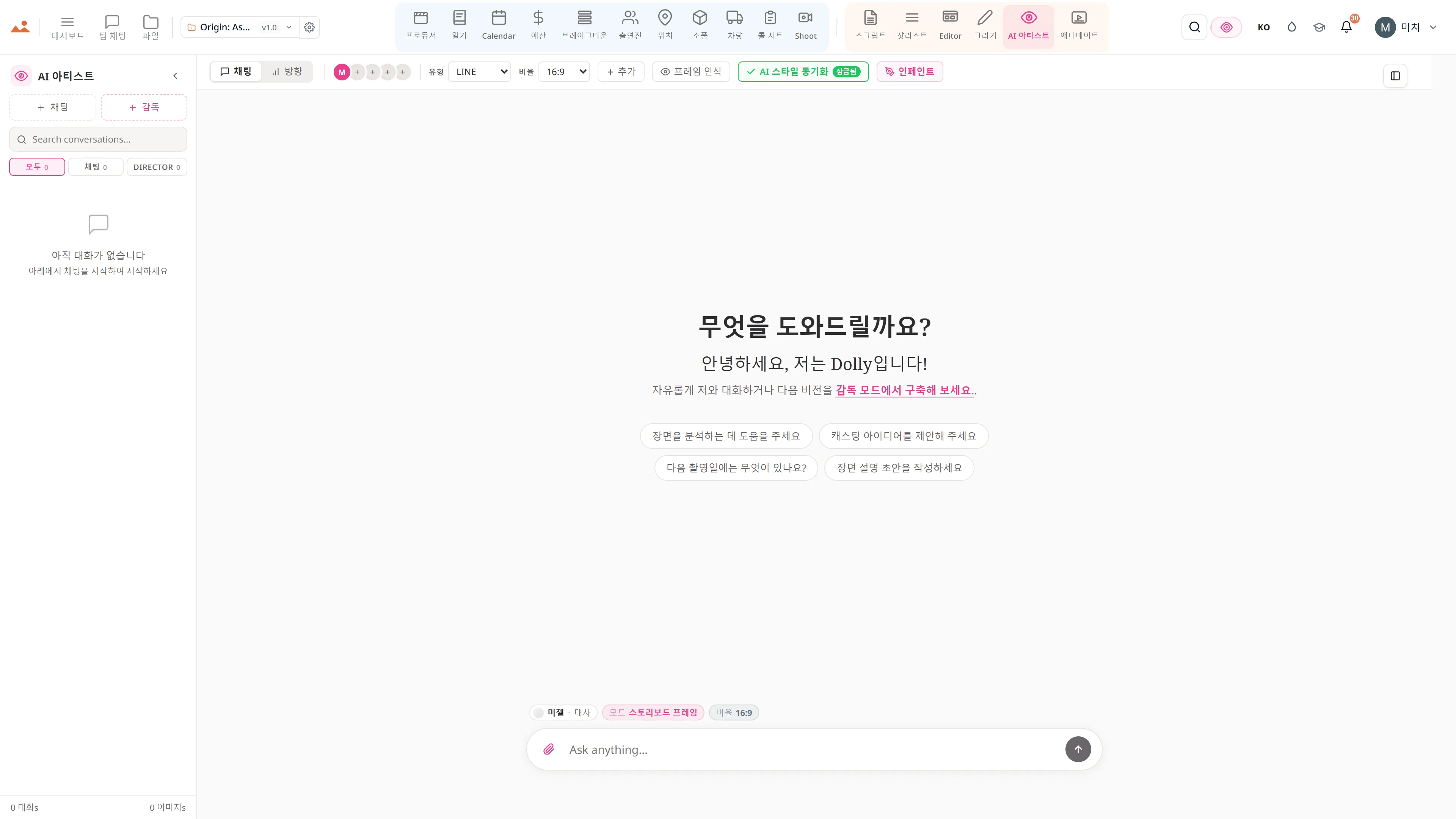
    AI Artist 앱의 무료 데모에서 프로젝트의 잠긴 하우스 스타일로 스토리보드 프레임을 생성합니다.
    The Draw studio in the free demo, painting over an Origin: Ascension storyboard frame on the GPU canvas.
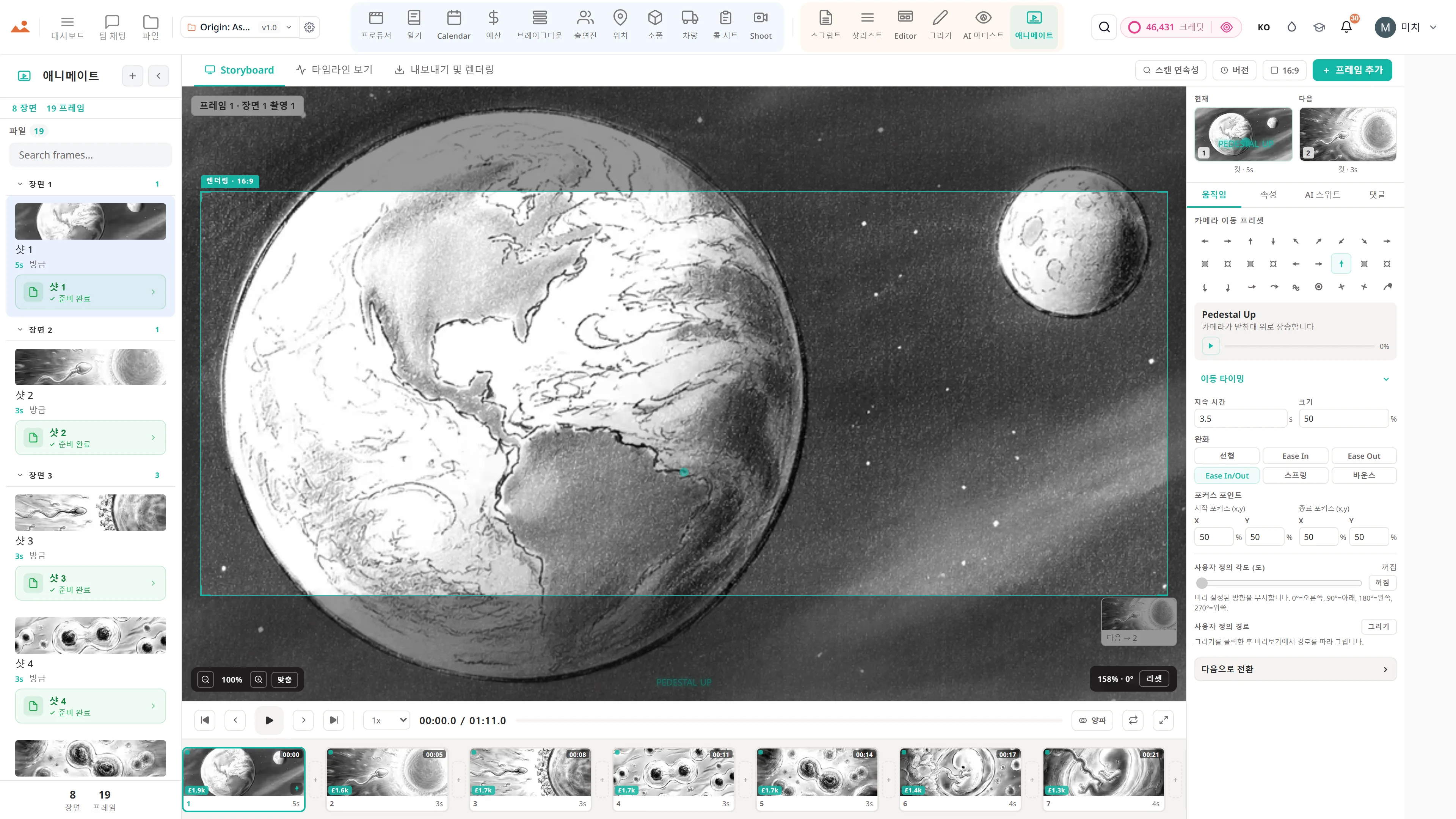
    Animate 앱의 무료 데모에서 타이밍이 맞춰진 애니메틱을 재생합니다.
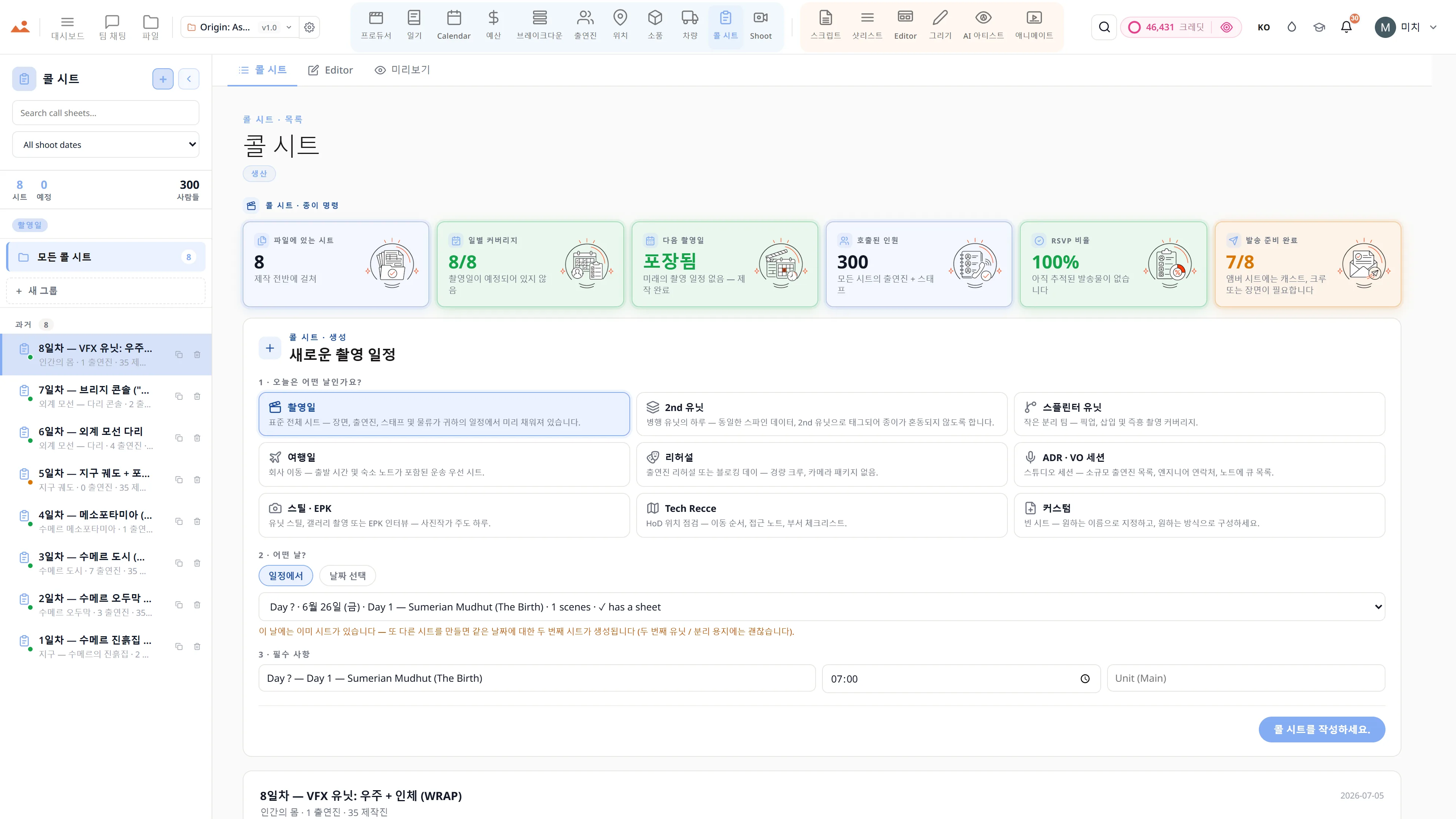
    Call Sheet 앱의 무료 데모에서 완성된 촬영일 콜 시트를 보여줍니다.

    Script · breakdown · boards · animatic · call sheets · budget

    The demo is a view-only copy shared for exploration. Some features need a paid subscription to run.

    Storyboard Canvas · the complete production suite

    The complete script-to-screen suite - start free

    Twenty synchronised apps, one project file. Every app on every plan - pick a tier by team size, not features.

    Get started