Skip to content

Film production software home - every project in one place.

Start a film, track its stage from development to wrap, and open any of the twenty apps from one home. Sub-projects, recent files and a live production overview, always in front of you.

See the Dashboard
仪表板欢迎用户回归,制作概览行显示13个场景、20个镜头、12名演员、8个拍摄日和50%完成情况,包含信用卡、每日连续记录、下一个拍摄日、Dolly关于明天拍摄日和未确认演员的提醒通知,以及制作进度、询问Dolly、14天燃尽图、每周摘要和打开草稿的快速操作。
仪表板的任务控制面板标题为“你的日子”,包含3个今天需要你关注的事项模块,0个待你批准的事项,5个你正在阻塞的场景,0个被你阻塞的事项和自上次访问以来的0个变更;一个“下一个要做的”横幅标记一个逾期的拍摄结束;需要你关注的事项列表(逾期的拍摄结束、逾期的中期审查、即将到期的编辑交接);以及一个依赖部分,列出你正在阻塞的事项 - 在2个场景中选角开放角色、清除儿童工作许可证、在5个场景中预定车辆 - 以及一个角色选择器,选择你当前的角色。
仪表板的跨平台导入模态标题为“带上您的制作”,邀请用户拖放来自 Movie Magic、Final Draft、StudioBinder、Gorilla、Yamdu 或 Celtx 的导出文件,或任何脚本,具有一个接受 FDX、Fountain、PDF、Word、RTF、CSV、Movie Magic .sex 和 Celtx 文件的拖放区域,以及一个“导入并路由”的操作,能够识别文件,进行拆分并将其路由到正确的应用程序。
Your Dashboard
The home you land on: scenes, shots, cast, shoot days and percent complete for the current production, your credit balance and streak, an inbox of what Dolly has flagged, and quick actions into production progress, the burn-down and the weekly digest.

内容概览 仪表板

每个项目的生产仪表板。

  • Import anything - drop an export from Movie Magic, Final Draft, StudioBinder, Gorilla, Yamdu or Celtx and the suite routes it into the right apps
  • Let Dolly draft it - a schedule, a budget skeleton, deal memos, a compliance check, the call sheet, each one click to apply and one click to undo
  • Stakeholder links - a private no-login page for a client, a financier, a vendor or an external reviewer, expiring and revocable
  • All active productions with phase and health
  • Today's call sheets and approvals queue
  • Dolly's daily brief - what needs you right now
  • Cross-project search and recent-file jump list
  • Role-aware - producers see schedule risks, directors see creative blockers
Get started 替代: 通用项目管理仪表板和任务应用

管道

在哪里 仪表板 在制作流程中。

早晨的启动平台。仪表板从每个应用程序读取信息,并呈现今天的重要内容 - 根据角色进行智能识别,因此制作人/导演/助理导演各自获得所需的视角。Dolly的每日简报位于顶部;活跃项目条目位于下方;可以从任何地方使用Cmd+K进行跨项目搜索。

这个应用程序

仪表板

拥有者: 每个人 - 根据角色智能识别

Land here every morning

Every film, one front door.

However many films you have running, they all open from one place, each showing its stage from development to wrap. Dolly's brief is waiting at the top, so you start the day already caught up.
Dashboard app for StoryboardCanvas film production software - Production dashboard for every project.

此应用中的 DollyAI™

AI 命令 集成到 仪表板.

在这个套件中,有超过200个命令,这里是 仪表板。每个命令在您确认之前都会显示其信用成本,并且每个响应都与您的真实项目相关,而不是通用提示。

每日简报

2 积分

今天在每个项目中需要您关注的事项 - 审批队列、签署阻碍、日程风险、成本警示、带有@提及的评论线程 - 一目了然的总结。

制作健康

2 积分

每个项目的健康评分(良好 / 关注 / 高风险)读取日程 + 预算 + 演员 + 工作人员 + 签字。在EP询问之前,提前呈现出风险项目。

常见问题

关于的常见问题 仪表板.

仪表板是否根据我的角色显示我所需的信息?

是的。制片人看到日程风险 + 预算热点 + 签字队列。导演看到创意债务 + 评论线程。AD看到今天的拍摄日程 + 明天的风险。一个仪表板,三种视角。

我可以从一个地方搜索我所有的项目吗?

是的 - 在仪表板的任何地方使用Cmd+K可以在每个剧本、分解、镜头列表、演员行、地点标记、道具、车辆、场景评论中进行跨项目搜索。结果在100毫秒内呈现。

Dolly 的每日简报是什么?

一个新鲜的早晨总结,展示您现在在每个制作中需要关注的事项 - 审批队列、签署阻碍、日程风险、成本警示、带有@提及的评论线程。跨项目,角色智能识别。

我可以从仪表板切换制作吗?

是的 - 活跃项目选择器位于顶部栏,跨会话保持不变。切换制作时,其他所有应用程序会立即跟随。
承诺

仪表板 is on 每个等级.

没有锁定功能,没有仅限专业版的导出,没有意外的付费墙。每个 仪表板 页面上的工具在所有计划中均可使用 - 从爱好者到企业版。

See it for yourself

Step inside a real production, completely free.

Open the actual software on Origin: Ascension, a finished short film, and explore every app exactly as the crew left it. Read the script, walk the boards, open the budget, print the call sheet. Fully read-only, with no sign-up. Nothing you touch is saved.

Try the free demo20 apps · one project file · 0 seconds of setup
No sign-upNo cardNo downloadFully read-onlyNothing you touch is saved
Live demo · Origin: Ascension
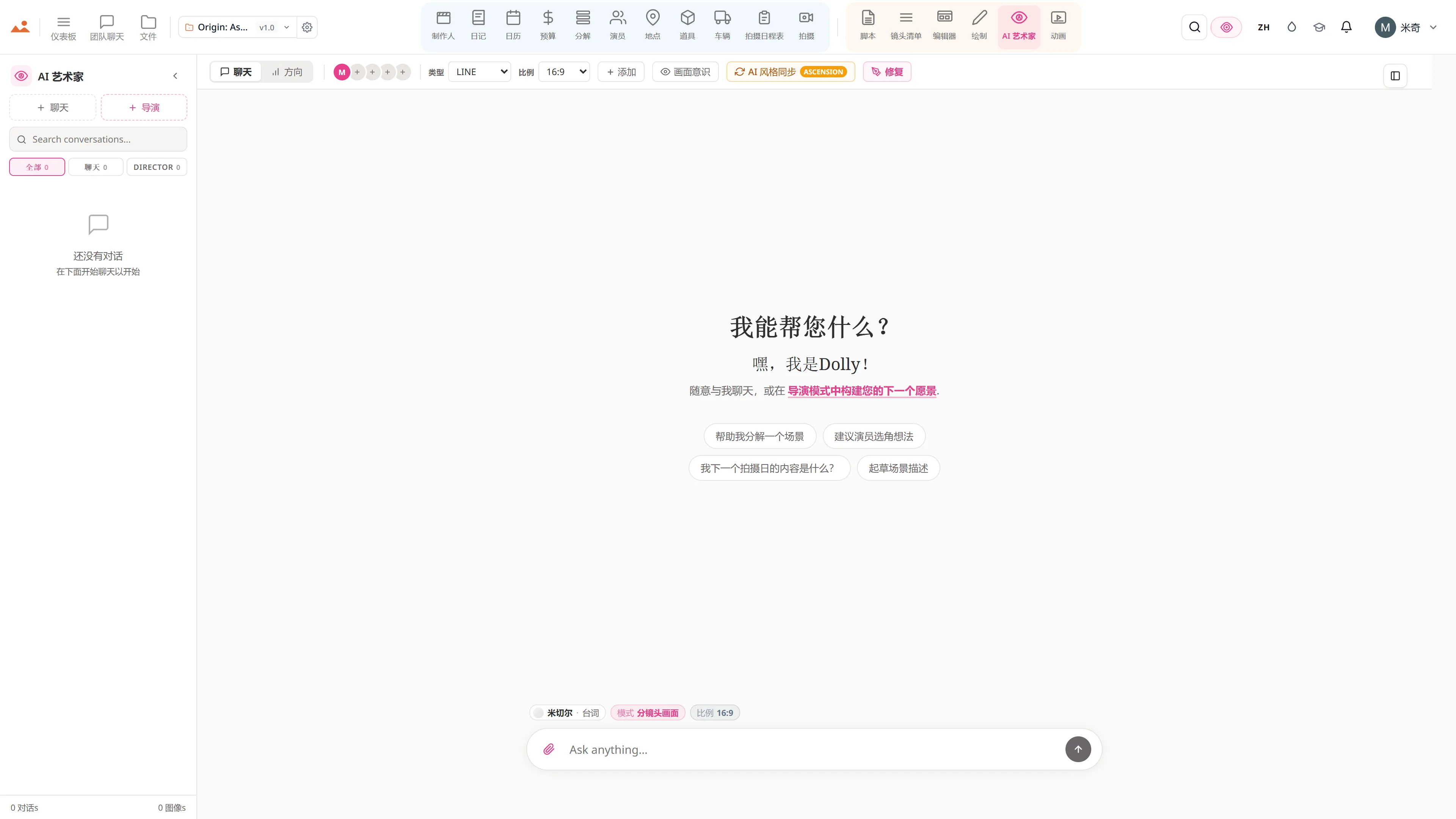
在免费演示中的 AI Artist 应用,生成项目锁定房屋风格的故事板帧。
The Draw studio in the free demo, painting over an Origin: Ascension storyboard frame on the GPU canvas.
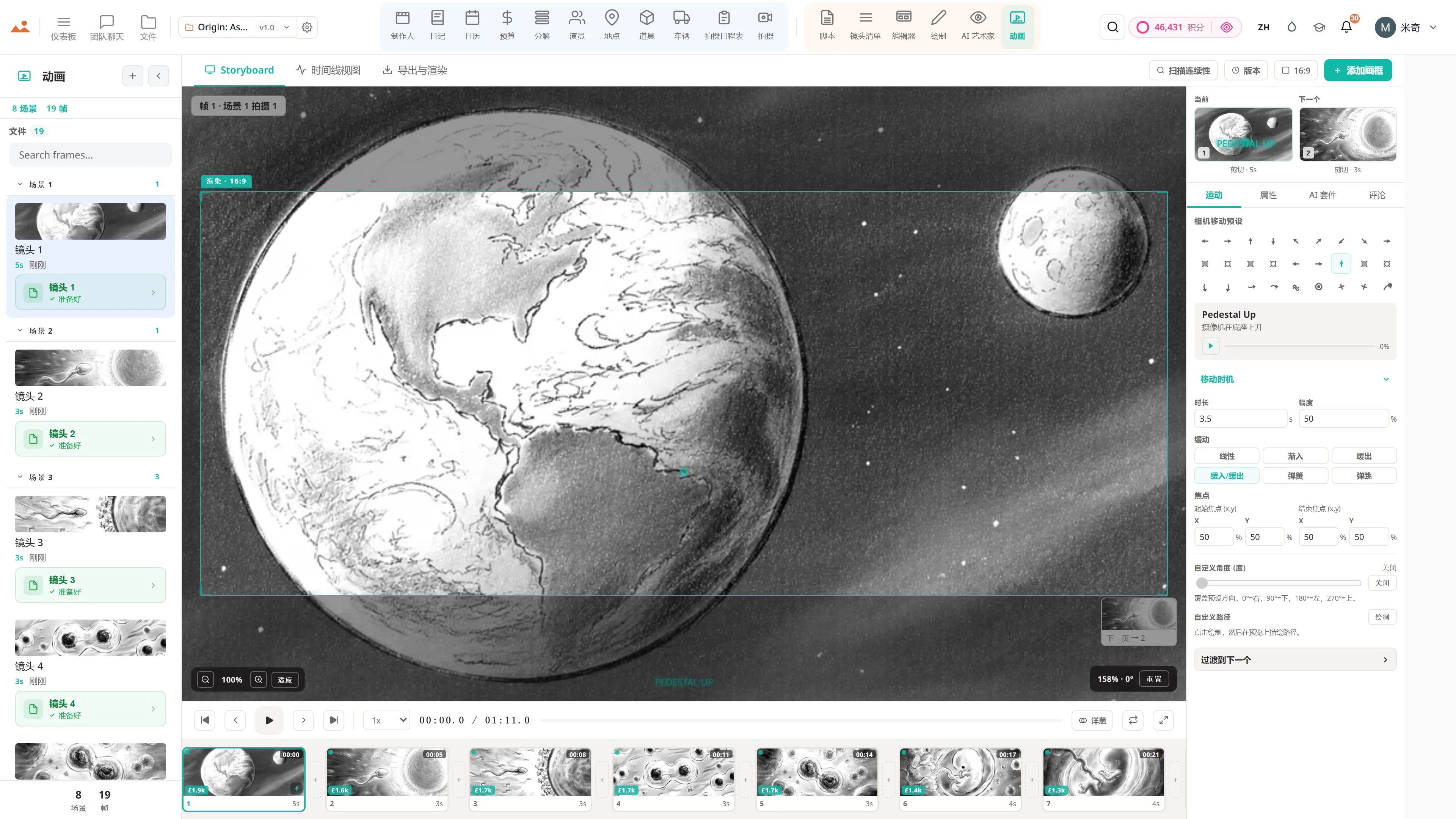
在免费演示中的 Animate 应用,播放定时的动画分镜。
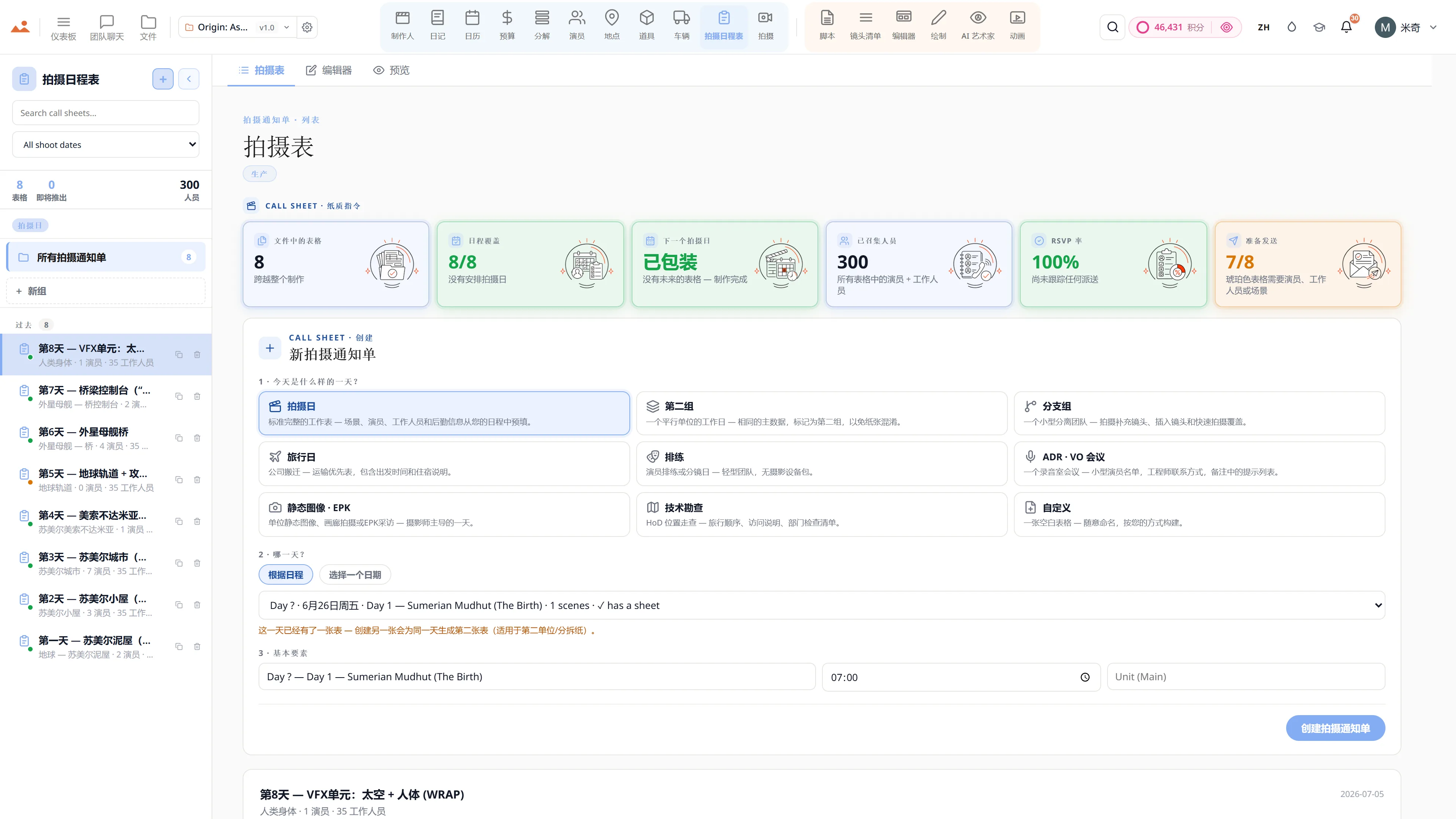
在免费演示中的 Call Sheet 应用,显示完成的拍摄日通告单。

Script · breakdown · boards · animatic · call sheets · budget

The demo is a view-only copy shared for exploration. Some features need a paid subscription to run.

Storyboard Canvas · the complete production suite

The complete script-to-screen suite - start free

Twenty synchronised apps, one project file. Every app on every plan - pick a tier by team size, not features.

Get started