Skip to content

Storyboard editor software - frame, draw and previs in one file.

Shot list to storyboard to animatic, in one file. Frame the screenplay, draw over it with 450+ pro brushes, then play it back as a timed previs. No exporting between four apps.

See the Storyboard editor
Storyboard Editor 显示一个序列的故事板帧网格,每个帧都标注了镜头类型和注释,构建于链接的镜头列表之上。
Storyboard Editor 的帧详细视图:一个单独的故事板帧放大,显示其镜头类型、场景、相机运动、对话和注释,并在旁边以粗体标签字段展示。
Storyboard Editor 以横向胶卷布局显示,序列的帧从左到右排列,以便导演可以阅读剪辑并感受其节奏。
Board Grid
The whole storyboard at a glance - every annotated frame in a grid, built automatically from the shot list.

内容概览 编辑器

故事板编辑器和帧画布。

  • Frames arrive from the shot list already carrying their scene, shot size and description
  • Frame-anchored comments for review, with threaded replies and a share link that needs no login
  • Drag, snap, group, and layer frames on a pixel canvas
  • Smart alignment guides and auto-spacing
  • Camera-movement overlays - push, pull, pan, tilt, dolly, crane, handheld, gimbal
  • Frame → AI animatic clip → schedule loop - visual previs without leaving the project
  • Scene and sequence templates for pitch decks
  • Full-screen presenter mode for director pitches
  • Per-frame comment threads with parent-child replies and approvals
  • Stale-frame detection - when a scene heading is renamed or removed, affected frames surface for review
  • 2×2, 3×3, and custom PDF grid export at 300 DPI
Get started 替代: 传统的故事板应用和提案订阅

管道

在哪里 编辑器 在制作流程中。

构图表面。编辑从镜头列表中提取镜头,从AI Artist中提取框架,从Draw中提取画作,将它们布局在一个像素画布上,配有吸附指南 + 图层 + 模板,并将甲板下游发送到Animate,作为定时动画分镜 - 或作为PDF网格发送给融资方。

这个应用程序

编辑器

拥有者: 导演 + 分镜艺术家

向下游提供

Visualise the film

Board to previs, no exporting.

Board, redraw and play it back without ever exporting a file. The frame you sketch is the frame in the animatic and the frame the AI artist filled - one project, from blank page to timed cut.
Editor app for StoryboardCanvas film production software - Storyboard editor and frame canvas.

此应用中的 DollyAI™

AI 命令 集成到 编辑器.

在这个套件中,有超过200个命令,这里是 编辑器。每个命令在您确认之前都会显示其信用成本,并且每个响应都与您的真实项目相关,而不是通用提示。

建议重新排序

2 积分

读取甲板 + 建议一个作为电影叙事的框架顺序 - 对于早期的分块非常有用。

静态帧检查

1 积分

标记每个自生成以来其源场景标题已更改或被删除的帧。

构图评审

3 积分

每帧的批评关注于构图、三分法则、引导线和视线。基于电影摄影的经典,而非通用标准。

承诺

编辑器 is on 每个等级.

没有锁定功能,没有仅限专业版的导出,没有意外的付费墙。每个 编辑器 页面上的工具在所有计划中均可使用 - 从爱好者到企业版。

See it for yourself

Step inside a real production, completely free.

Open the actual software on Origin: Ascension, a finished short film, and explore every app exactly as the crew left it. Read the script, walk the boards, open the budget, print the call sheet. Fully read-only, with no sign-up. Nothing you touch is saved.

Try the free demo20 apps · one project file · 0 seconds of setup
No sign-upNo cardNo downloadFully read-onlyNothing you touch is saved
Live demo · Origin: Ascension
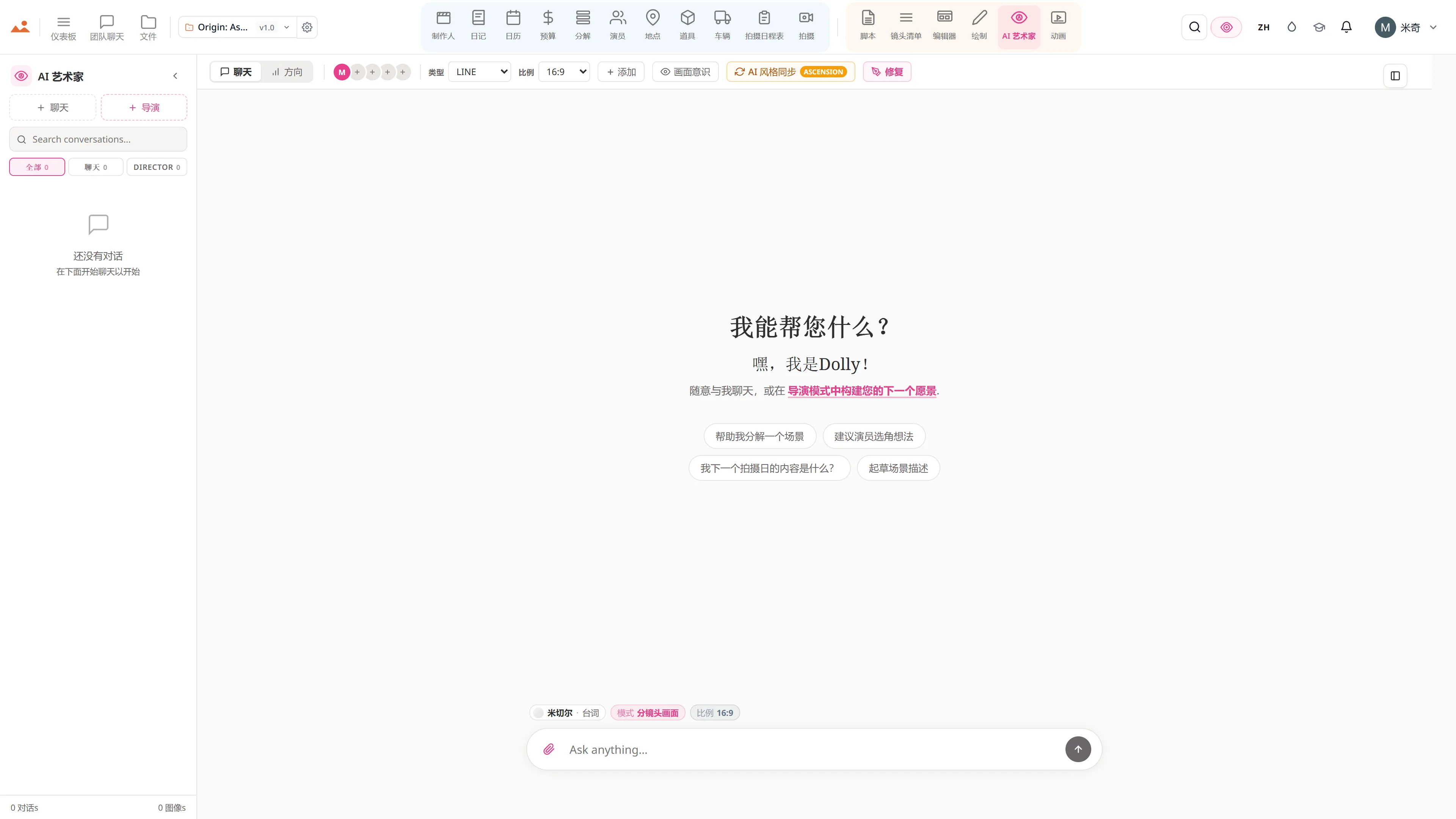
在免费演示中的 AI Artist 应用,生成项目锁定房屋风格的故事板帧。
The Draw studio in the free demo, painting over an Origin: Ascension storyboard frame on the GPU canvas.
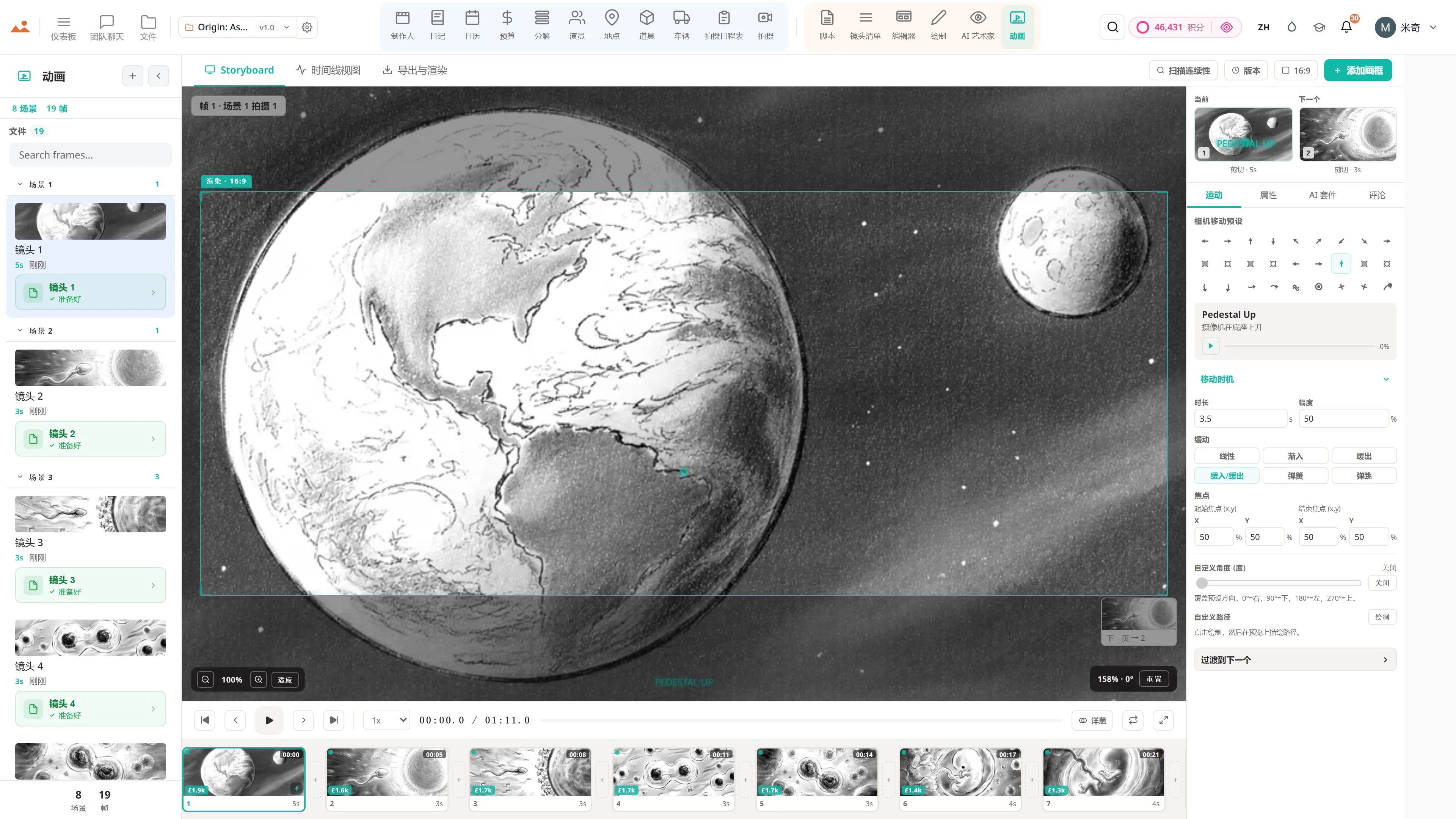
在免费演示中的 Animate 应用,播放定时的动画分镜。
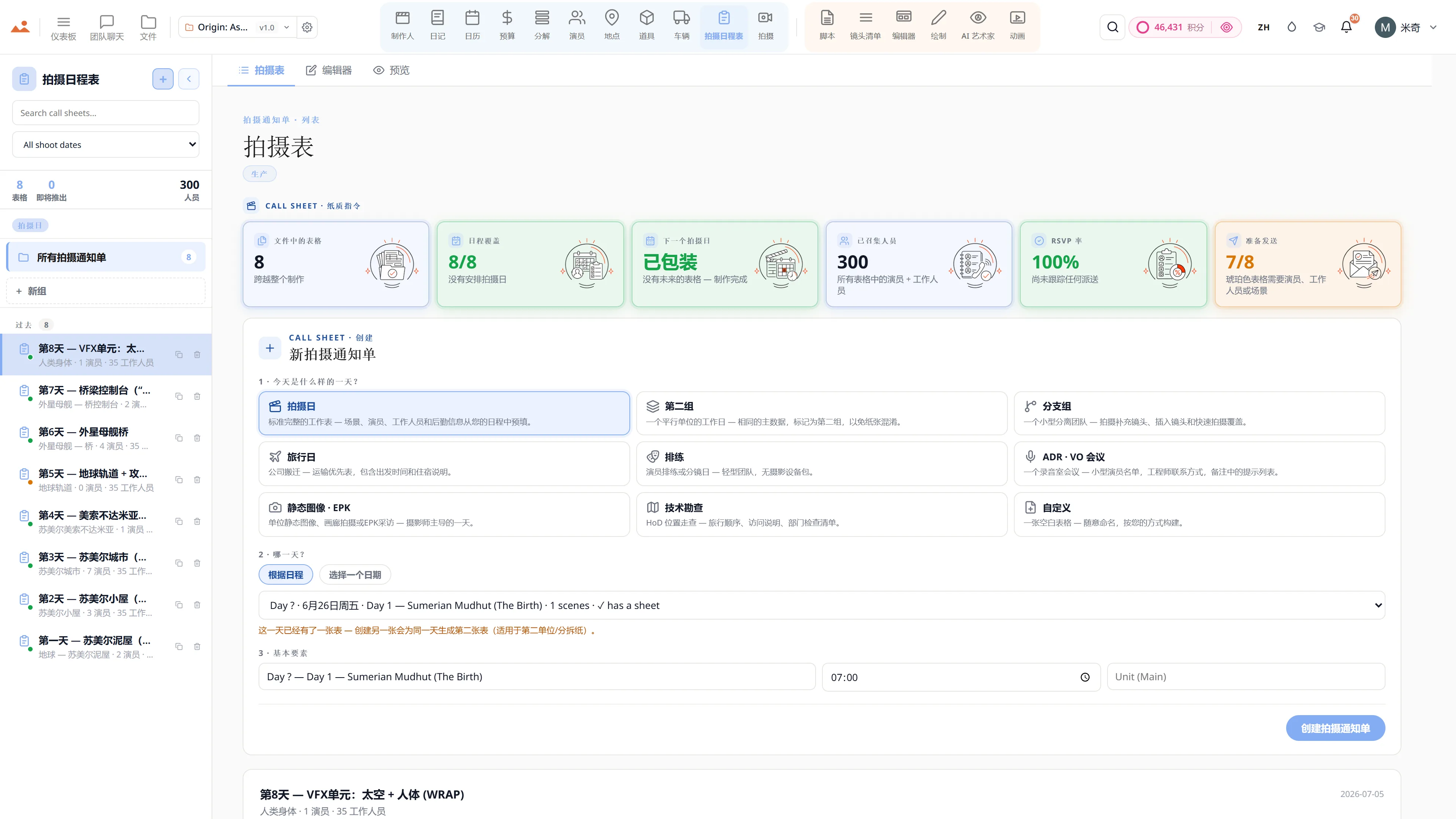
在免费演示中的 Call Sheet 应用,显示完成的拍摄日通告单。

Script · breakdown · boards · animatic · call sheets · budget

The demo is a view-only copy shared for exploration. Some features need a paid subscription to run.

Storyboard Canvas · the complete production suite

The complete script-to-screen suite - start free

Twenty synchronised apps, one project file. Every app on every plan - pick a tier by team size, not features.

Get started