Skip to content

Production team chat anchored to the line, the frame and the day.

Real-time channels per department with threaded replies and frame-anchored comments, syncing live across every device on the crew. No more lost Slack threads or group texts that fall apart at wrap - every conversation pinned to the work it is about.

See Team Chat
团队聊天应用程序在制作办公室频道打开,侧边有摄像和灯光、艺术和场地、VFX 和后期、收尾和交付以及一般频道的列表,并且有一条真实制作消息的线程——草案日程按世界分组以最小化公司移动,最大的一天标记为额外的 AD 和两名医务人员,预算 v3 锁定在各个元素上,鹿特丹确认在第 12 天,第 1 天按计划完成,飞行员的收尾消息。
Team Chat
Production channels that live inside the production: the production office, camera and lighting, art and locations, VFX and post, wrap and delivery - the conversation sitting next to the schedule, budget and dailies it is about.

内容概览 团队聊天

生产团队聊天,按部门划分。

  • Channels that keep the record - the production office, camera and lighting, art and locations, VFX and post, wrap and delivery - sitting next to the schedule and budget they are about
  • Channels, DMs, and threaded replies
  • Comments anchored to script lines and frames
  • @mentions, approvals, and audit trails
  • Presence indicators and live cursors
  • Read receipts on call sheets and sides
  • Email and SMS bridges for non-app crew
Get started 替代: 通用团队聊天应用和群组消息线程

管道

在哪里 团队聊天 在制作流程中。

真正理解工作的对话工具。Team Chat 让您可以将评论固定到剧本行、分镜框、演员行、拍摄日程条目上——对话将在每个接收者的表面上持续存在。再也不会丢失 Slack 线程。再也不会有在拍摄结束时崩溃的群发短信。

上游

    这个应用程序

    团队聊天

    拥有者: 每个人 - 在工作发生的地方发表评论

    The crew, in sync

    The conversation, next to the work.

    The note about a frame lives on that frame; the call about a scene lives on that scene. Nothing falls into a separate app to be lost at wrap, and it is all in front of whoever picks up a tablet on the floor.
    Team Chat app for StoryboardCanvas film production software - Production team chat, per department.

    此应用中的 DollyAI™

    AI 命令 集成到 团队聊天.

    在这个套件中,有超过200个命令,这里是 团队聊天。每个命令在您确认之前都会显示其信用成本,并且每个响应都与您的真实项目相关,而不是通用提示。

    跟进摘要

    2 积分

    刚从 3 天的假期回来?Dolly 会总结你错过的每个频道 + 线程,按项目组织,并在顶部标记 @-你。

    审批助手

    1 积分

    根据文档和接收者草拟正确的审批请求 - 对于投资者正式,对于工作人员随意。

    常见问题

    关于的常见问题 团队聊天.

    我可以将评论锚定到特定的台词或帧吗?

    是的。将评论固定到特定的剧本行、特定的镜头、特定的场景或特定的演员行——每个接收者在点击时都会准确进入该表面。

    它有实时存在吗?

    是的 - 在每个应用程序中都有实时光标和在线状态。制片人知道导演正在审阅同一场景;导演知道剧本监督正在记录日记。

    我可以跟踪债券公司的批准和签署吗?

    是的。每个批准/签字/签署都有时间戳和参与者印章,以便记录制作的保管链。担保公司的审计包只需一键即可获取。

    它支持像Slack那样的线程回复和@提及吗?

    是的。频道、私信、线程回复、@提及、已读回执 - 所有 Slack 级别的功能 + 生产意识的锚定。
    承诺

    团队聊天 is on 每个等级.

    没有锁定功能,没有仅限专业版的导出,没有意外的付费墙。每个 团队聊天 页面上的工具在所有计划中均可使用 - 从爱好者到企业版。

    See it for yourself

    Step inside a real production, completely free.

    Open the actual software on Origin: Ascension, a finished short film, and explore every app exactly as the crew left it. Read the script, walk the boards, open the budget, print the call sheet. Fully read-only, with no sign-up. Nothing you touch is saved.

    Try the free demo20 apps · one project file · 0 seconds of setup
    No sign-upNo cardNo downloadFully read-onlyNothing you touch is saved
    Live demo · Origin: Ascension
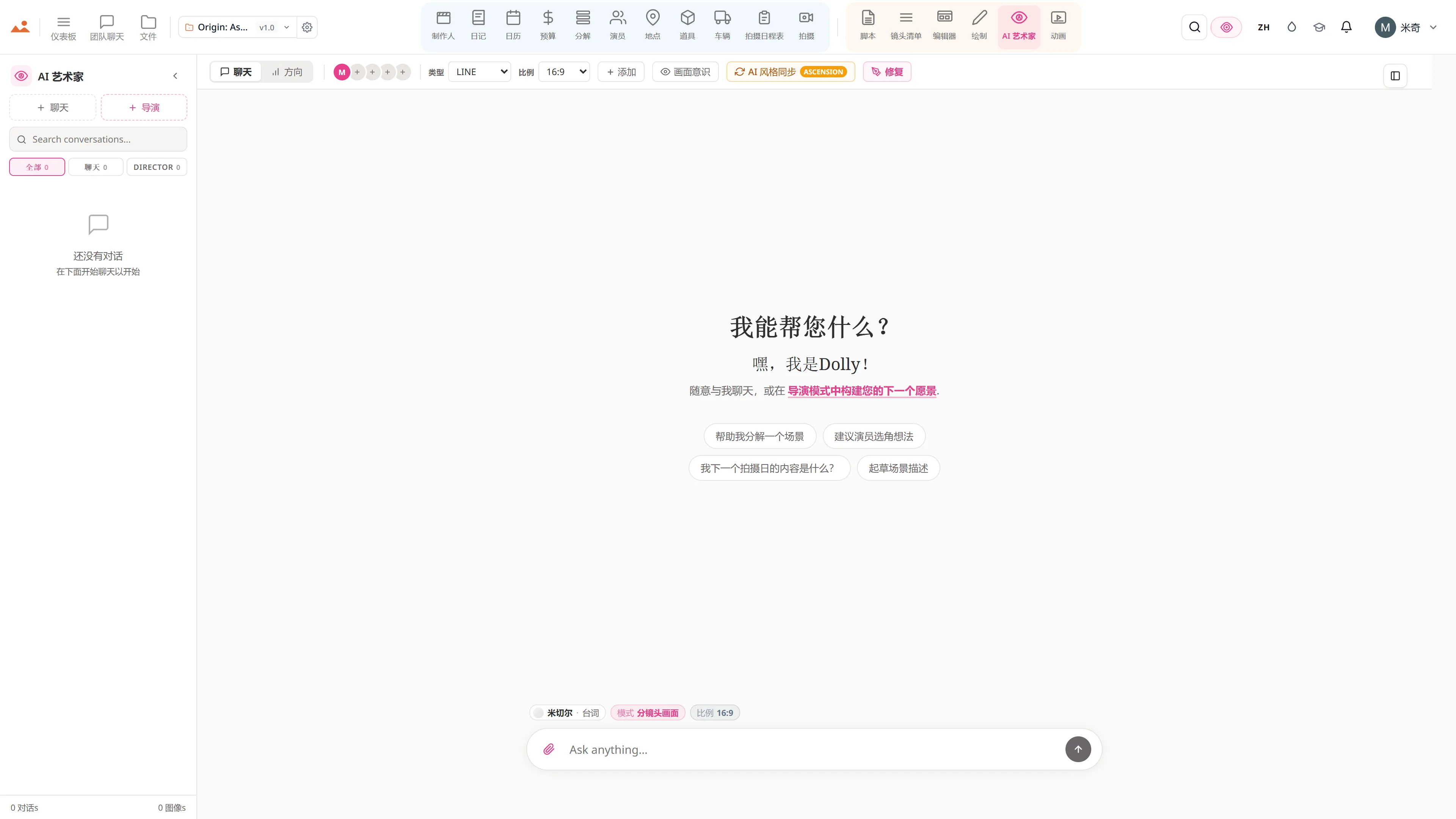
    在免费演示中的 AI Artist 应用,生成项目锁定房屋风格的故事板帧。
    The Draw studio in the free demo, painting over an Origin: Ascension storyboard frame on the GPU canvas.
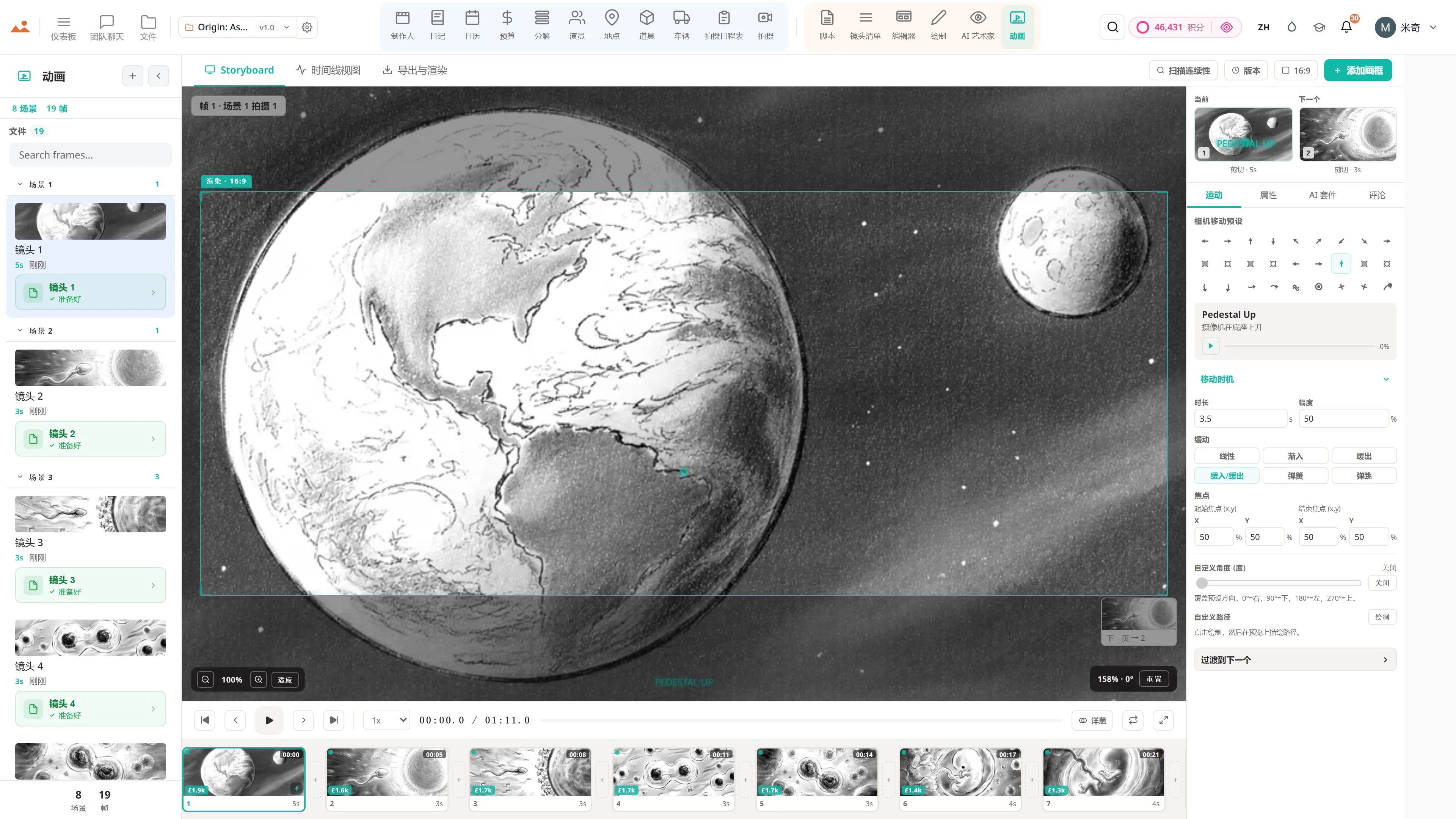
    在免费演示中的 Animate 应用,播放定时的动画分镜。
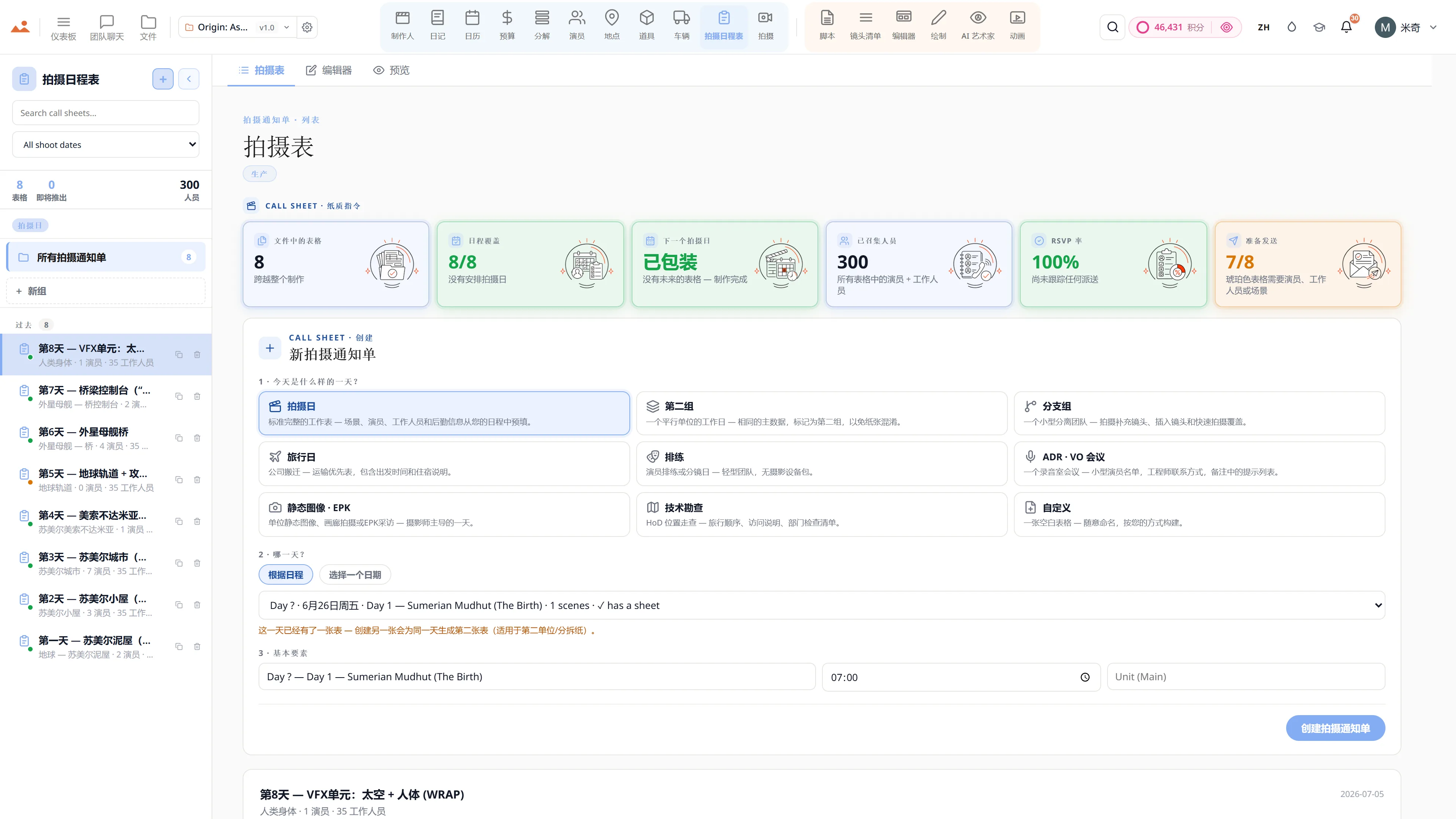
    在免费演示中的 Call Sheet 应用,显示完成的拍摄日通告单。

    Script · breakdown · boards · animatic · call sheets · budget

    The demo is a view-only copy shared for exploration. Some features need a paid subscription to run.

    Storyboard Canvas · the complete production suite

    The complete script-to-screen suite - start free

    Twenty synchronised apps, one project file. Every app on every plan - pick a tier by team size, not features.

    Get started